
We Found the Best Vidyard Alternative (+6 more!)
By Ryane Tully · June 20, 2024

Helpful Summary
Overview: The article explores various alternatives to Vidyard for video marketing, focusing on tools like Pitchlane, Loom, Brightcove, BombBomb, Wistia, Hippo Video, and Covideo. It highlights their features, pros, and cons to help businesses find the best fit for their needs.
Why You Can Trust Us: Pitchlane has successfully doubled meeting booked rates for numerous businesses through video prospecting. Their expertise and proven methods in video outreach provide credible insights into effective Vidyard alternatives.
Why It Matters: Choosing the right video platform can enhance engagement, streamline follow-ups, and increase conversion rates. Alternatives to Vidyard might offer better pricing, features, ease of use, and integration capabilities tailored to your specific needs.
Action Points: Evaluate your business requirements and compare the listed alternatives’ features, pricing, and integration options to select the best video marketing tool for enhancing your sales and marketing efforts.
Further Research: Explore detailed user reviews and case studies of the mentioned alternatives. Consider testing a few platforms with trial periods to find the best match for your business needs.
Need Help Finding the Best Vidyard Alternative?
Leveraging video platforms like Vidyard for sales prospecting and marketing is a game-changer for sales teams looking to convert at higher rates.
While Vidyard is a powerful tool, you might be searching for a better alternative or at least one that matches its capabilities. Perhaps you find Vidyard’s pricing too steep, wish for additional features, or prefer a more intuitive interface. Whatever the case may be, there are plenty of alternatives that could better suit your specific needs.
So, we’ve curated a list of the 7 best Vidyard alternatives, with Pitchlane leading the pack. Here, we’ll dive deeper into each of these video tools, highlighting their unique features, pros, and cons.
Why Listen to Us?
We have firsthand experience creating thousands of personalized videos for sales teams. That’s what makes us qualified to comment on Vidyard. Sales teams have seen great success with our tools.
One of our clients, Erik Paulson shared how his business experienced a 300% increase in meetings booked and $14k in new deals closed after using Pitchlane. Our results speak for themselves.
What is Vidyard?
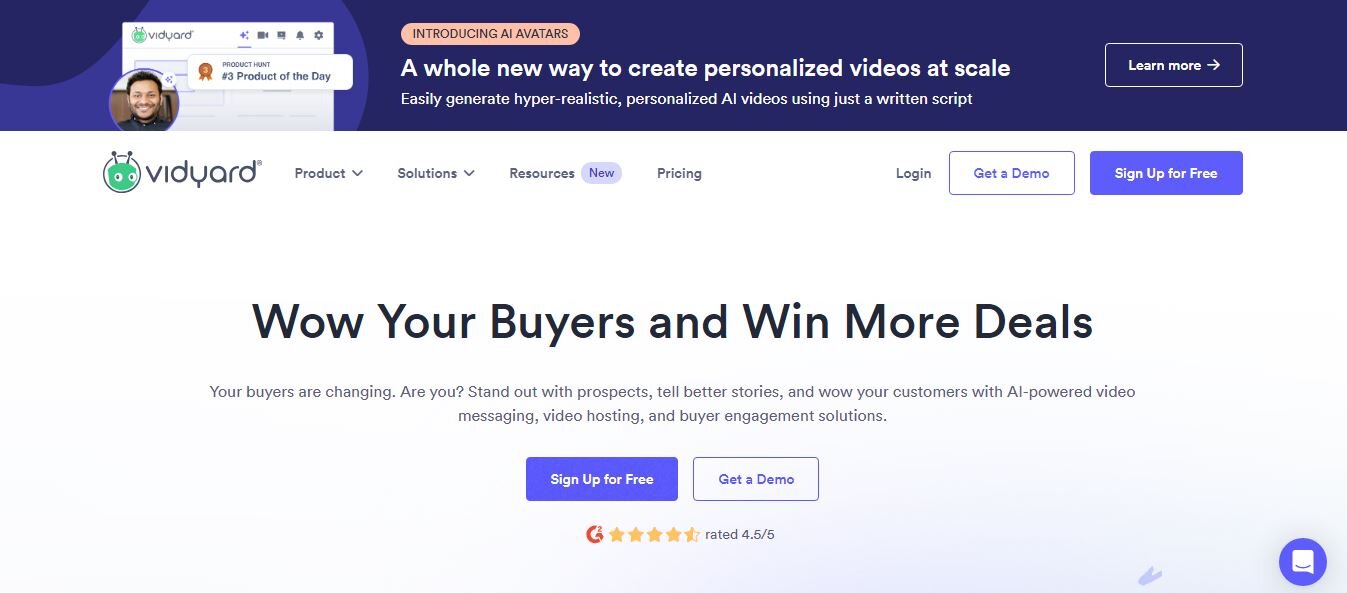
Vidyard is a video platform designed for businesses and sales teams to create, host, and share personalized videos. The software offers various features to meet a wide range of marketing needs. These features include personalized video capabilities, video analytics, and integration of various customer relationship management (CRM) systems and marketing automation tools.
Key Features of Vidyard
Vidyard key features include:
Video Creation: Vidyard allows you to record videos directly through your browser extension or desktop app, making it easy to incorporate video into your workflow.
Video Hosting and Management: This feature allows you to Upload, organize, and manage your video content with secure storage. You can also group your videos into a playlist or customize your video landing page for easy access.
Video Marketing: It allows for the simultaneous use of various video marketing forms, such as emails, social media, or embedding videos on websites.
Video Analytics: Vidyard comes with comprehensive video analytics to track viewer engagement, such as likes, watch time, and drop-off points. This helps you understand how our videos are performing.
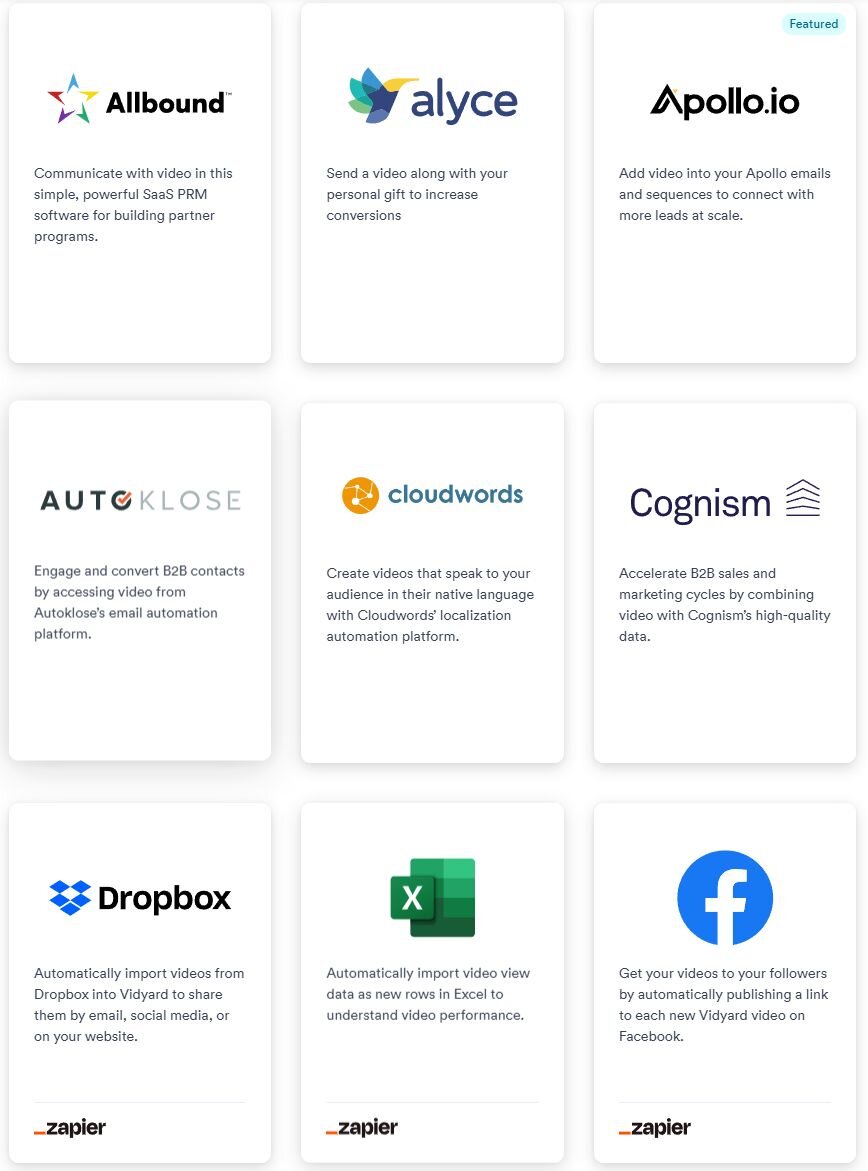
Integrations: Vidyard integrates with marketing, sales, and CRM tools, such as HubSpot, Salesforce, Marketo, and more. With this workflow integration, video content becomes a part of existing processes.
Live Streaming: The platform supports live streaming, allowing businesses to host live events, webinars, and other real-time video content.
Reasons to Consider Vidyard Alternatives
Cost: Vidyard can be relatively expensive, especially for small businesses or startups with limited budgets. Alternatives might be a little lighter on the wallet.
Feature Needs: Vidyard is useful, but it may not offer some advanced features. For instance, the mass video personalization and template library present in Pitchlane can’t be found on Vidyard.
Ease of Use: Vidyard’s extensive capabilities can make it hard for some users to use, but alternatives with more straightforward, user-friendly interfaces solve the problem.
Specific Integrations: Although Vidyard integrates with many platforms, it might not connect seamlessly with every tool you use. Alternatives might offer better or more relevant integrations for your existing tech stack.
Customization Options: The Vidyard customization option might be limited. You may need to consider an alternative to customize and personalize your videos according to your needs.
Performance and Reliability: Vidyard’s performance might not be optimal depending on your location and user base. Choosing alternatives can help you find a better performance and reliability platform in your specific region.
Customer Support: Depending on your needs, Vidyard’s customer support might not meet your expectations in terms of response time or expertise. Alternatives with better-reviewed customer service might be more reliable.
Our List of the Best Vidyard Alternatives
1. Pitchlane: Creating personalized video outreach at scale for sales teams.
2. Loom: Simple screen and webcam recording for internal and external communication.
3. Wistia: Video hosting with advanced analytics for marketers.
4. Vimeo: High-quality video hosting with social features for creators.
5. SendSpark: Easy video creation and personalization for sales outreach.
6. BombBomb: Personalized video email platform for sales engagement.
7. Hippo Video: Interactive video platform with features like CTAs and quizzes.
1. Pitchlane
Pitchlane is a powerful Vidyard alternative for sales professionals to create, send, and track engaging video messages. Users love us because of our personalized video outreach capability. With Pitchlane, you don’t need to create individual videos for each prospect. Instead, you record one video, and the software automatically personalizes it for thousands of unique recipients.
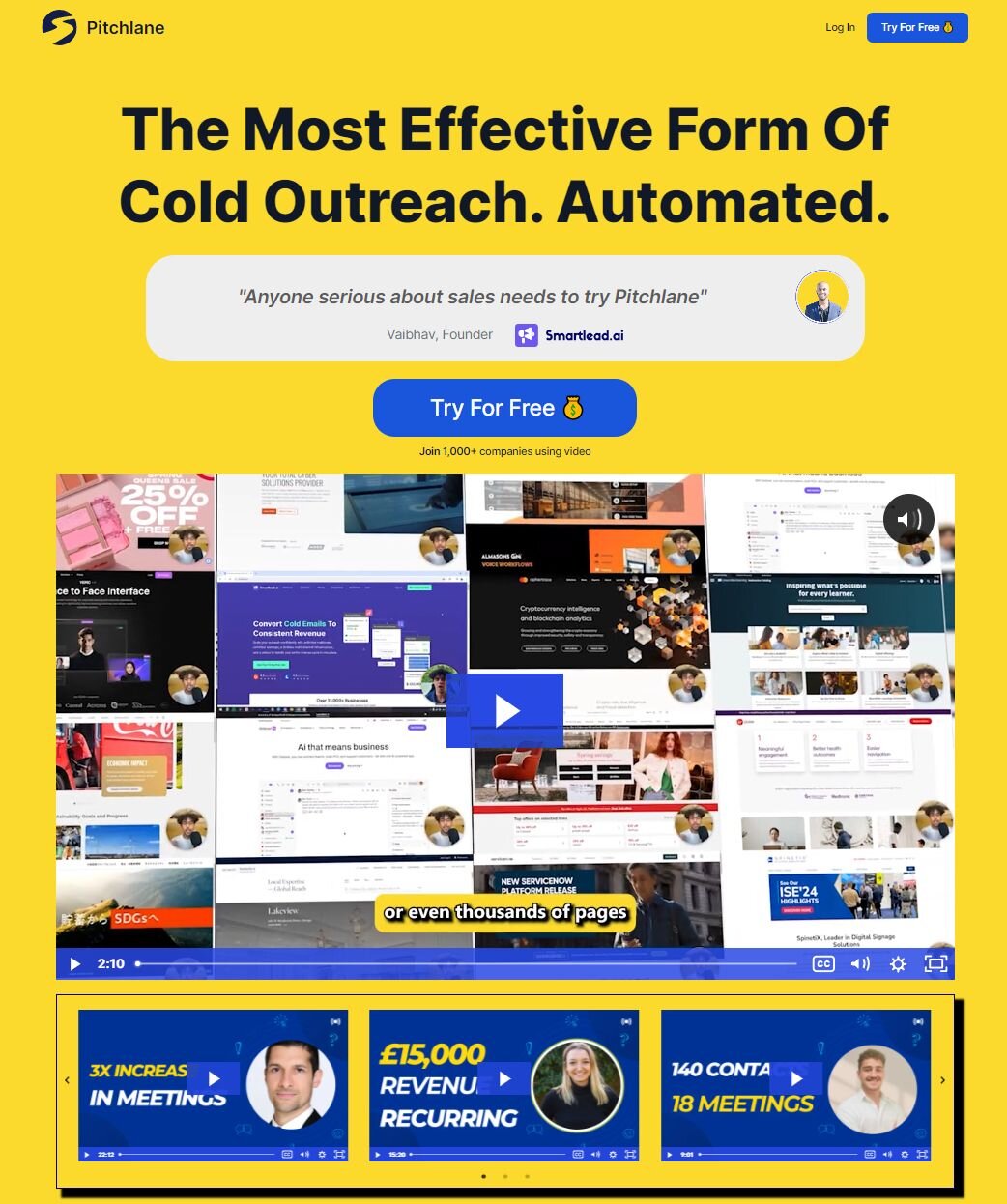
That’s not all. We give you FREE access to our University where you can use our templates and strategies to increase your meetings booked rate. Pitchlane also integrates seamlessly with Calendly, allowing prospects to book meetings directly from the landing page—a simple feature that can increase conversion rate.
Features of Pitchlane
User-Friendly Video Creation: Pitchlane allows users to record and edit high-quality video messages with personalized touches effortlessly.
Customization and Personalization: It allows you to customize and personalize video messages to your needs.
Seamless Integration: Pitchlane integrates smoothly with popular CRM systems and email platforms.
Detailed Analytics: You can easily gain insights into your video performance with comprehensive analytics, which will help you refine your approach and maximize engagement.
Secure Sharing: Share your videos securely via email, social media, or direct link, giving you flexibility in how you reach your audience.
Pros
- Highly effective video personalization for tailored outreach
- User-friendly interface for easy navigation
- Direct meeting scheduling with Calendly and Savvycal
- Integrates with over 30 sending tools for streamlined workflow
- Advanced reporting tools for actionable insights
- Supports multiple video formats and languages
Cons
- Advanced features may have a learning curve
- Quality video generation requires a stable internet connection
Pricing
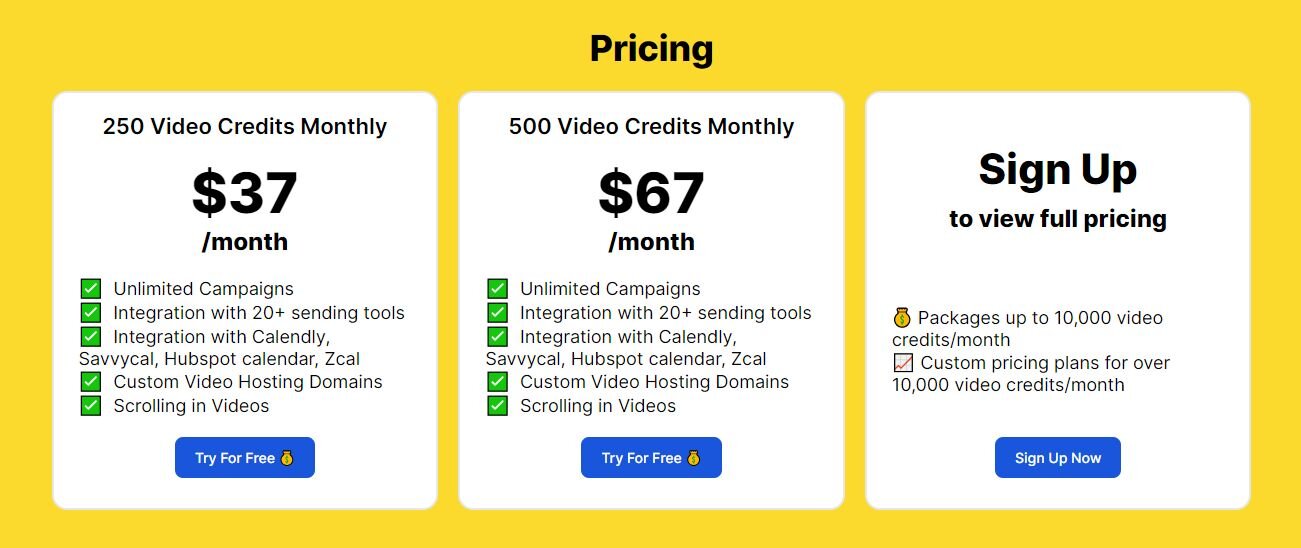
The paid plan starts at $37 per month with a free trial session of 14 days. Pitchlane also offers a Custom Pricing Plan based on your needs.
2. Loom
This is a popular Vidyard alternative that allows you to record your screen, camera, or both and then easily share the recorded video with others. Loom works very similarly to Vidyard but focuses more on internal communication, asynchronous collaboration, and educational purposes. If you want to share some quick guidance with your team, Loom is your app.
Features of Loom
Recording: Loom allows users to capture their screen activity and voice. Users can also record themselves via webcam alongside their screen recording.
Editing and Sharing: You can enhance the recorded video by trimming it and adding captions, emojis, and links.
Integration: Loom integrates with various platforms like Slack, Gmail, and Trello,
Pros
- Loom is very simple and easy to use. You don’t need a technical skill to use it.
- Loom AI adds custom titles, video summaries, and chapters to videos.
- It supports features like comments, reactions, and transcriptions.
Cons
- Loom offers limited editing and customization features.
- It’s not ideal for business and sales teams.
Pricing
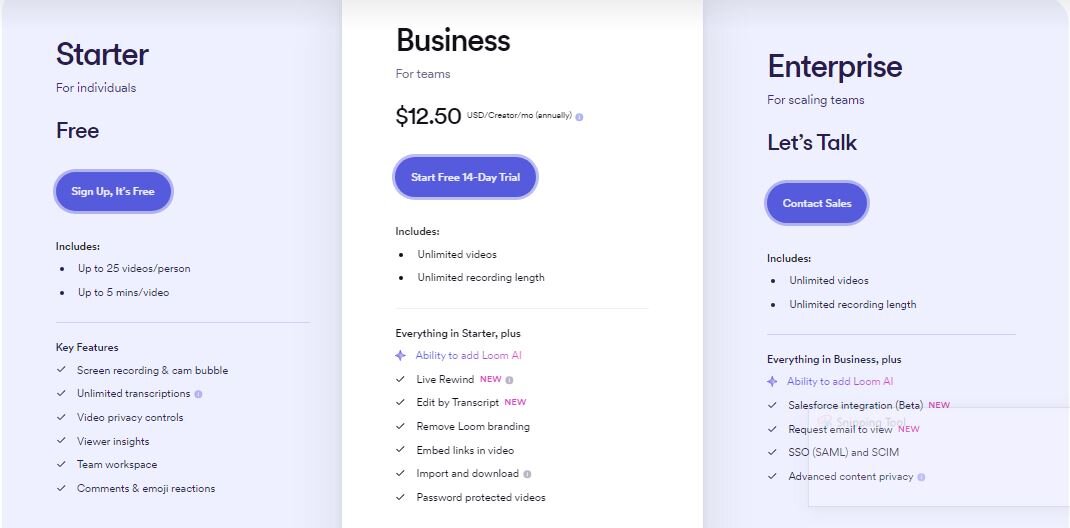
Loom offers a free plan with recording limits, paid plans with unlimited recording and storage, and an Enterprise plan for advanced security features, with costs based on per-creator monthly fees.
3. Wistia
Wistia is a video marketing tool that focuses on businesses and marketers. This tool allows you to create, host, manage, and track your video content performance—all in one place. Wistia was designed to help businesses or marketers create marketing videos without prior knowledge.

Features of Wistia
Video Hosting: Wistia enables you to host your videos securely.
Customization: With Wistia, you can customize and personalize your videos to your satisfaction.
Lead generation: It allows you to capture leads for your business by using lead-capturing methods like forms.
Analysis: You can easily track your video performance through the Wistia analysis feature.
Pros
- Wistia allows you to capture leading right within the video player easily.
- It supports branding and accessibility tools customization.
- You can enhance your video reach with the SEO feature.
Cons
- It doesn’t support advanced video editing feature
- Not cost-effective for small businesses.
Pricing
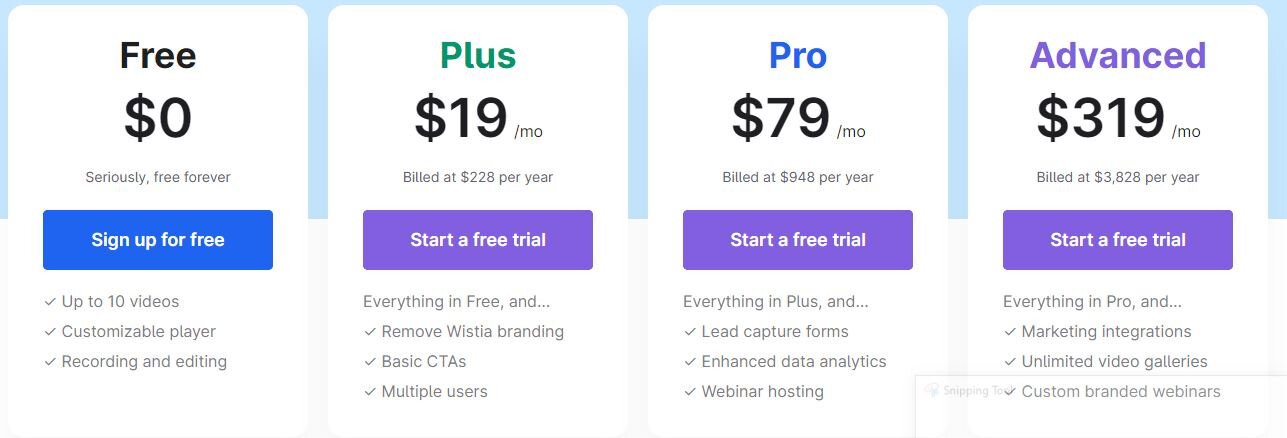
Wistia provides a free plan for basic video hosting. Their paid tiers offer increased features (such as lead capture forms, webinar hosting, and marketing integrations) and storage at per-month costs starting at $19.
4. Vimeo
Vimeo is a compelling alternative to Vidyard, serving entrepreneurs, businesses, and creatives. This video-sharing platform lets you upload, manage, and share your videos in various ways, such as embedding them on your website. Unlike Pitchlane, Vimeo does not offer advanced video marketing features.
Features of Vimeo
Hosting: Vimeo allows you to host your video securely
Customization: you can customize the video player’s appearance such as adding a logo etc
Analysis: just like other tools, Vimeo supports video report analysis.
Pros
- Vimeo is known for its high-quality video playback and lack of compression.
- With Vimeo, you can monetize your videos through various means, such as Ads.
- It supports integration with popular video editing tools such as Adobe Premiere Pro and Final Cut Pro
Cons
- It doesn’t support multiple video uploads.
- Not an idea for marketers and businesses
Pricing
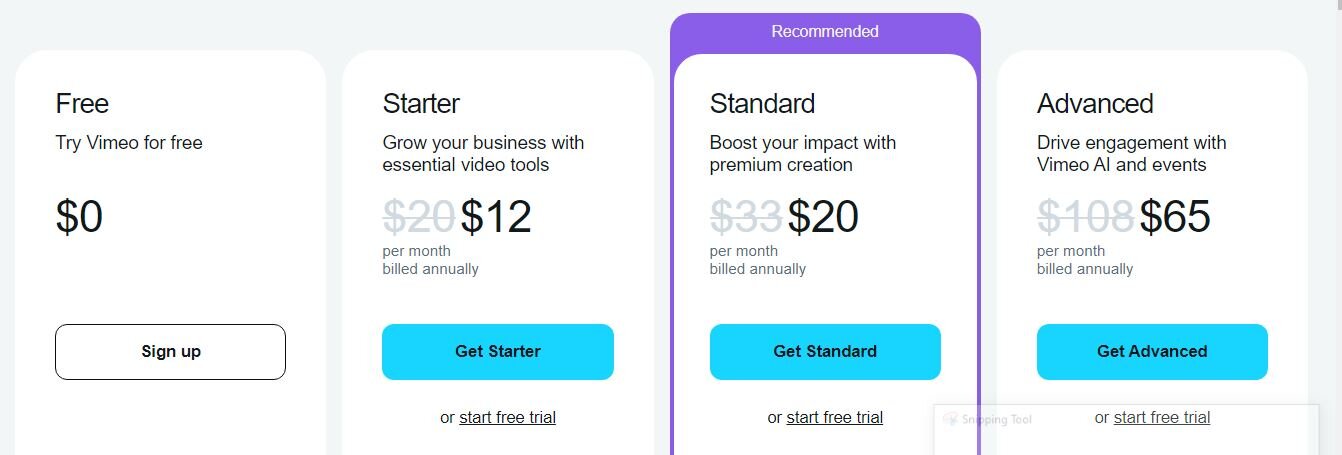
Vimeo features a free plan with limitations, then paid per-user monthly plans (Started, Standard, and Advanced) offering progressively more storage, features, and customization for video hosting.
5. SendSpark
SendSpark is a user-friendly video creation platform that is designed for sales and marketing teams. SendSpark offers a variety of features that can help create engaging videos, such as a library of video templates, a text-to-speech feature, and an easy-to-use editor.
Features of SendSpark
Simple Video Creation: Record your screen, webcam, or both directly in your web browser. No downloads or additional software is needed.
AI-Powered Personalization: Personalize videos with dynamic content like names, companies, and custom backgrounds using information from your CRM or CSV files.
Branding and Customization: Add your brand colors, logo, and CTAs (Call to Action) to maintain a consistent brand image across videos.
Video Editing Tools: Basic editing features like trimming, adding intros and outros, and thumbnails.
Video Sharing and Analytics: Share videos with a link or embed them on websites. Track video performance with analytics like views, engagement, and clicks.
Pros
- An easy-to-use interface that makes video creation accessible for everyone.
- Stands out with its ability to personalize videos at scale for increased engagement.
- Great option for individuals or those starting with video communication.
- Paid plans offer additional features like branding, analytics, and integrations at a reasonable price.
Cons
- Lacks advanced editing capabilities found in professional video editing software.
- Fewer pre-made video templates compared to some competitors.
Pricing
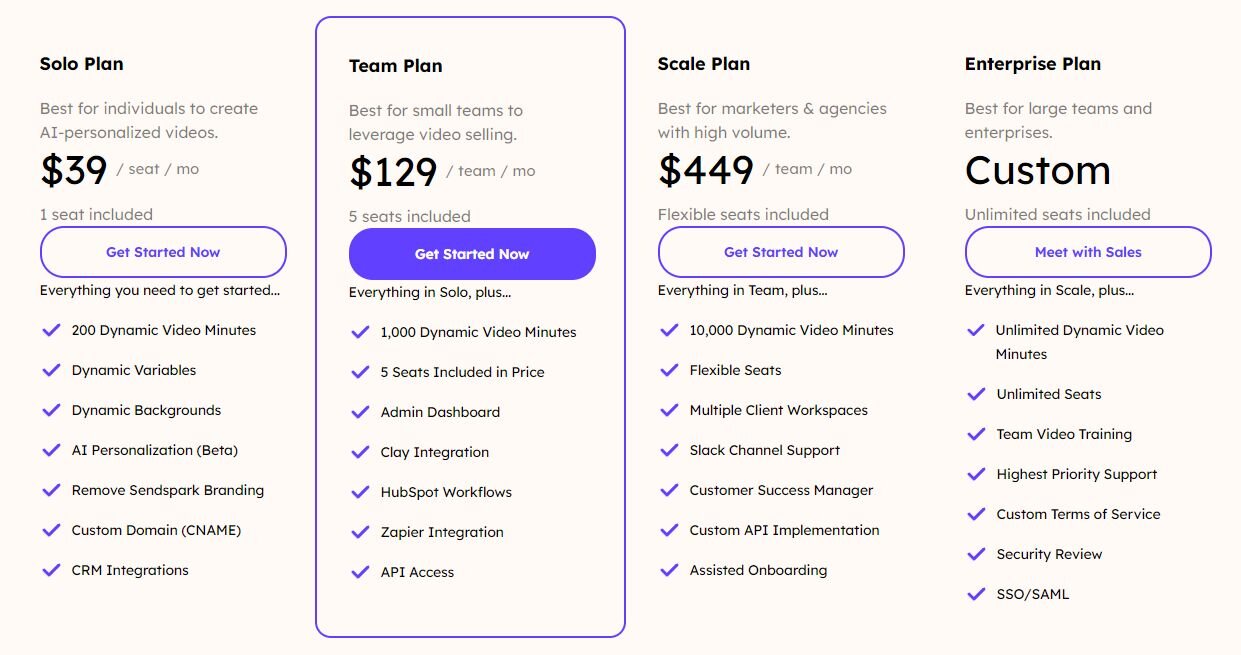
Sendspark allows the creation and sharing of personalized videos, with paid plans starting at $39/seat/month if you’re paying yearly and $49 if you’re paying monthly.
6. BombBomb
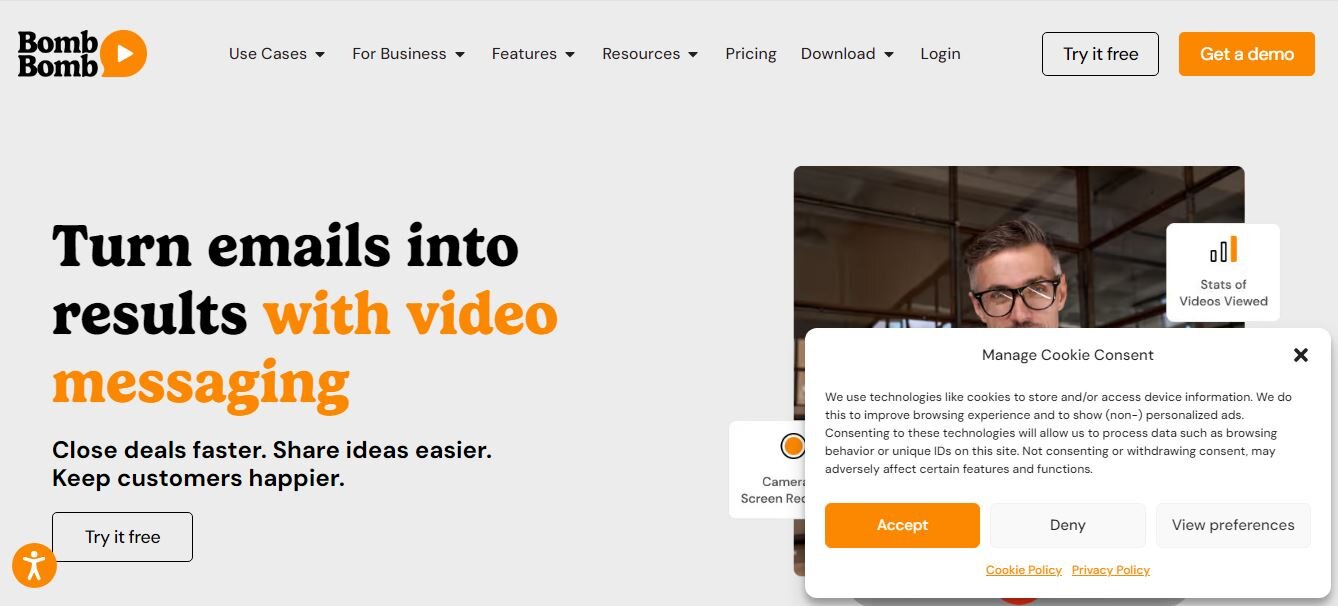
BombBomb is a video communication platform that enables users to create, send, and track video messages and emails. It helps improve personal communication and engagement by allowing individuals and businesses to add videos to their email, text, and social media communications.
Features of BombBomb
Video Email: You can create and send video emails directly from your inbox.
Video Messaging: Send video messages through various platforms, including email, text, and social media.
Contact Management: You can easily manage and organize your contacts for targeted video messaging campaigns.
Pros
- Allows you to create personalized video messages.
- It offers a mobile application that makes access easier.
- It supports screen recording for more detailed video.
Cons
- Beginners may need to learn to use it effectively
- Low video quality compared to other platforms
Pricing
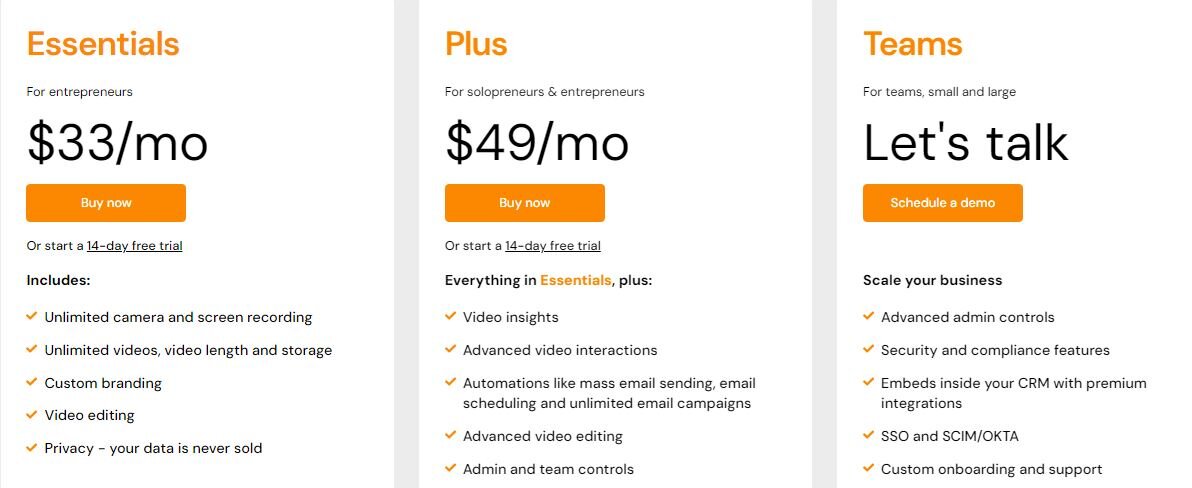
BombBomb offers three paid per-user monthly plans (Essentials, Plus, and Teams) with increasing features starting with the Essentials plan at $33/month. Additionally, BombBomb provides a 14-day free trial so users can explore their platform at no cost.
7. Hippo Video
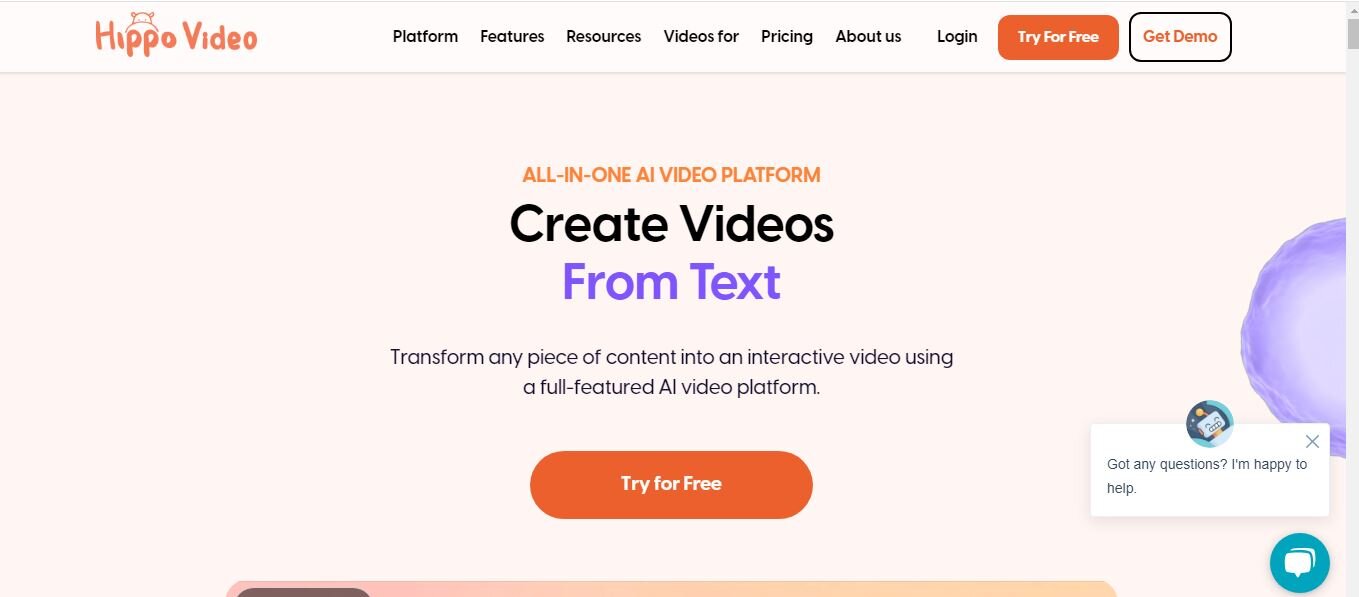
Hippo Video is a web-based video platform designed to help businesses create and use videos for marketing, sales, and communication purposes. It provides a comprehensive suite of video creation, editing, and distribution features.
Features of Hippo Video
Video Creation/Editing: You can record videos using your webcam, screen, or both simultaneously and edit with a built-in editing feature
Video Email: Send video emails directly from the platform or integrate with email marketing tools.
Integrations: Integrates with CRM, email marketing, and other sales tools.
Pros
- It has a user-friendly interface and is easy to use
- It has a built-in editing tool for quick and easy video customization.
- It is versatile
Cons
- Video quality might not always meet the highest standards expected by some users.
- It doesn’t support some advanced video customization.
Pricing
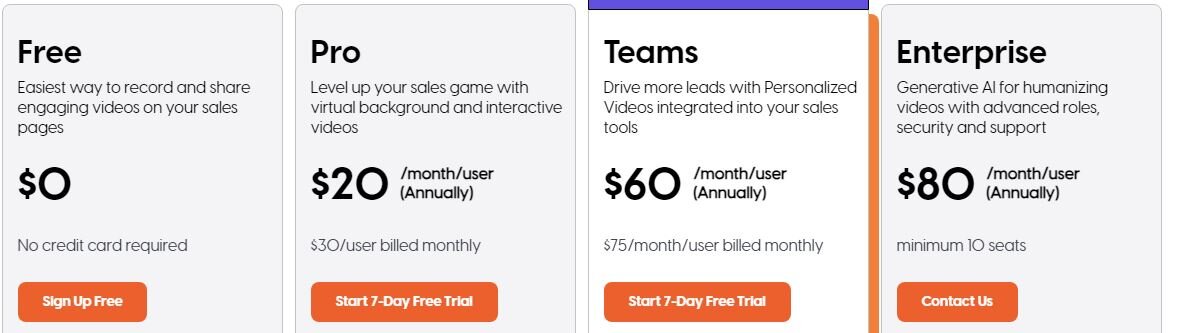
Hippo Video provides a free plan with recording limits, with paid plans offering increased recording length, editing features, and analytics at per-user monthly costs.
Use Pitchlane Instead
Video marketing is essential for driving conversions. That said, Vidyard might not always be the perfect solution for everyone. Most importantly, people looking for personalization and scale.
After all, what sense is there in developing an outreach strategy if you can’t scale it? With tools like Vidyard, you’re putting an artificial ceiling on your business.
We recommend Pitchlane as a tool that remedies Vidyard’s scaling issues while offering competitive pricing and better usability. Get started with Pitchlane here, and create thousands of personalized pitch videos in only 15 minutes!