
Here's Our List of the Top 10 Best B2B Sales Tools for Streamlining Sales
By Ryane Tully · March 13, 2024

Helpful Summary
Overview: In this article, we will take a close look at the 10 most popular B2B sales tools for everyday use and how they can help streamline your sales process and management.
Why You Can Trust Us: At Pitchlane, our B2B sales tool is perfect for sales teams of any size looking to simplify their video outreach and optimize their lead generation processes. The 5-star reviews we received from our clients back up our claim.
Why This is Important: Finding a stellar B2B sales tool is key to easing the burden of manual sales management, improving decision-making, and optimizing your sales process.
Action Points: We invite you to explore some of the tried-and-tested B2B sales tools in this list. Start with Pitchlane to experience how our platform can streamline your sales process.
Further Research: Read our tutorials to learn how our platform and tools can streamline your business management processes.
When you’re selling to B2B leads, you need to strike a delicate balance between scale and personalization. Without either factor, your sales strategy isn’t going anywhere. Choosing the right B2B sales tools will be a critical factor in executing your strategy properly.
At Pitchlane, we understand the importance of B2B sales tools. Whether it’s to manage your customer relationships more efficiently, automate your sales tasks, or gain deeper insights into your sales performance, the right tool makes a huge difference.
In this article, we will guide you through all you need to know about B2B sales tools. We’ll cover their benefits, how to choose the right one, and a list of essential B2B sales tools on the market.
Let’s get started.
Why Listen To Us?
Here at Pitchlane, we have successfully provided businesses and entrepreneurs from various industries with a reliable platform to streamline and optimize their business management needs.
From prospecting, lead generation, outreach, and sales, our tools have been proven to be impactful on any business.
For example, Erik Paulson (CEO of Vendisys) experienced a massive increase in booked meetings and sales revenue after partnering with us.

What are B2B Sales Tools?
B2B sales tools are software, apps, or programs specifically designed to assist businesses in managing and optimizing their sales processes.
These tools cover various functionalities, including customer relationship management (CRM), sales automation, data analytics, and lead generation.
By leveraging these tools, you can streamline your sales cycle, enhance team collaboration, and ultimately close more deals faster!
Benefits of Using B2B Sales Tools
Here’s how using B2B sales tools can help you optimize sales management.
- Enhanced Efficiency and Productivity: B2B sales tools can automate routine tasks such as data entry, lead sorting, and follow-up schedules. These features that come with the tool enable your sales team to focus on more strategic activities.
- Improved Sales Communication: Effective communication is crucial in converting leads into customers. For instance, Pitchlane leverages personalized video messages, which can make it easier to explain complex products or services clearly and effectively which in turn can significantly boost response rates and conversion rates.
- Scalability: As your business grows, so does the complexity of managing more customers and data. B2B sales tools are designed to scale accordingly to ensure that your sales process remains efficient in handling business growth without added resources or personnel.
- Data-Driven Decision Making: B2B sales tools provide valuable insights into customer behavior, sales performance, and market trends through analytics and reporting features. This data allows sales teams to refine their strategies, focus on what works, and discard what doesn’t, leading to more informed and effective sales decisions.
- Consistency in Sales Processes: Consistency in sales interactions enhances the customer experience by ensuring that all sales communications are consistent in quality and style, no matter which team member is contacting clients.
- Better Lead Management: B2B sales tools help track and manage leads efficiently by integrating with your CRM systems. This feature allows sales teams to nurture leads effectively with personalized follow-ups based on prospect engagement, boosting conversion and sales.
Criteria When Choosing the Right B2B Sales Tool
Selecting the right B2B sales tool is crucial for optimizing your sales process and achieving desired outcomes.
Below are key criteria to consider to ensure you choose a tool that aligns well with your business needs and sales objectives.
Integration Capabilities
Choose a tool that integrates seamlessly with your existing technology stack such as your CRM, email platforms, marketing automation tools, and customer support services
A B2B sales tool’s ability to sync with other software ensures data flows smoothly across your business systems, providing a unified view of customer interactions.
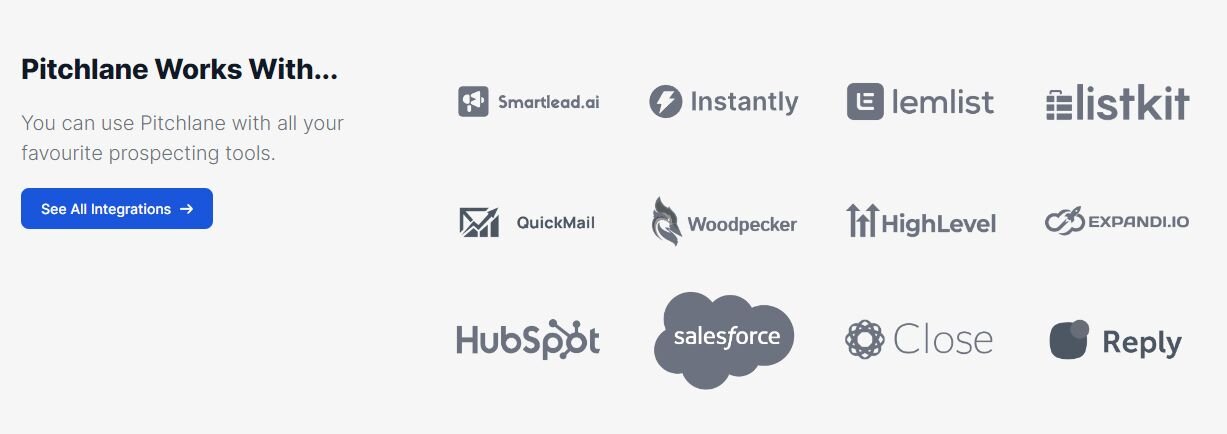
For instance, Pitchlane integrates with popular CRMs and systems, such as QuickMail, Instantly, Listkit, and Reply. It’s the perfect chance to improve your sales process by ensuring all team members access the latest sales data.
Scalability
Your B2B sales tool should be able to grow with your business. As your company expands, you’ll handle more clients, data, and complex sales operations. You need your tool to be able to keep up with additional workloads. For instance, it should be able to perform complex tasks like email sequences across several campaigns.
User Experience
Tools that are complex and require a steep learning curve might end up getting fully adopted by your sales team, undermining the potential benefits of using the tool in the first place.
Make sure that you gather feedback from your team during a trial period first to see if they can work with the tool efficiently. There’s always a learning curve, but you shouldn’t have to worry about extensive training.
Customization
Each business has unique sales processes and needs. The ability to customize a B2B sales tool to fit these specific requirements is vital for smooth sales management.
Whether it’s custom fields, the ability to add unique sales stages or personalized reporting dashboards, customization is what makes the tool integrate smoothly into your workflows.
Analytics & Reporting Capabilities
The tool should offer comprehensive analytics and reporting features to track sales performance, customer engagement, and other key metrics. These insights are crucial for making informed decisions and refining your sales strategies.
For example, Pitchlane provides detailed insights into which types of interactions lead to closed deals so you can adjust and optimize your sales tactics accordingly.
Reliable Customer Support
Robust customer support is essential, especially when your sales operations depend heavily on the software.
Look for a provider that offers multiple channels of support, such as live chat, phone, and email, as well as strong service-level agreements (SLAs) to ensure any issues are addressed promptly.
Trial and Demos
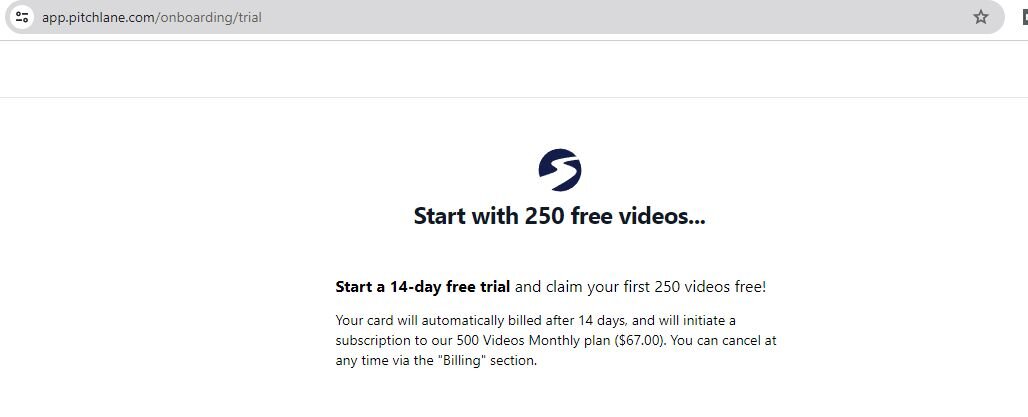
Before making a final decision, take advantage of the tool’s free trials and demos. For instance, we offer 250 free outreach videos at Pitchlane. That’s plenty of time to see how our tool works.
Testing the tool in your environment can help you better understand how well it meets your needs and how easily your team can adopt it.
10 Must-Have B2B Sales Tools
Here’s a quick overview:
1. Pitchlane
2. Salesforce
3. HubSpot Sales Hub
4. LinkedIn Sales Navigator
5. Zoho CRM
6. Pipedrive
7. Freshsales
8. Outreach
9. Yesware
10. Leadfeeder
1. Pitchlane
Pitchlane specializes in enhancing sales engagement through personalized video pitches, aiming to make communications more impactful and memorable.
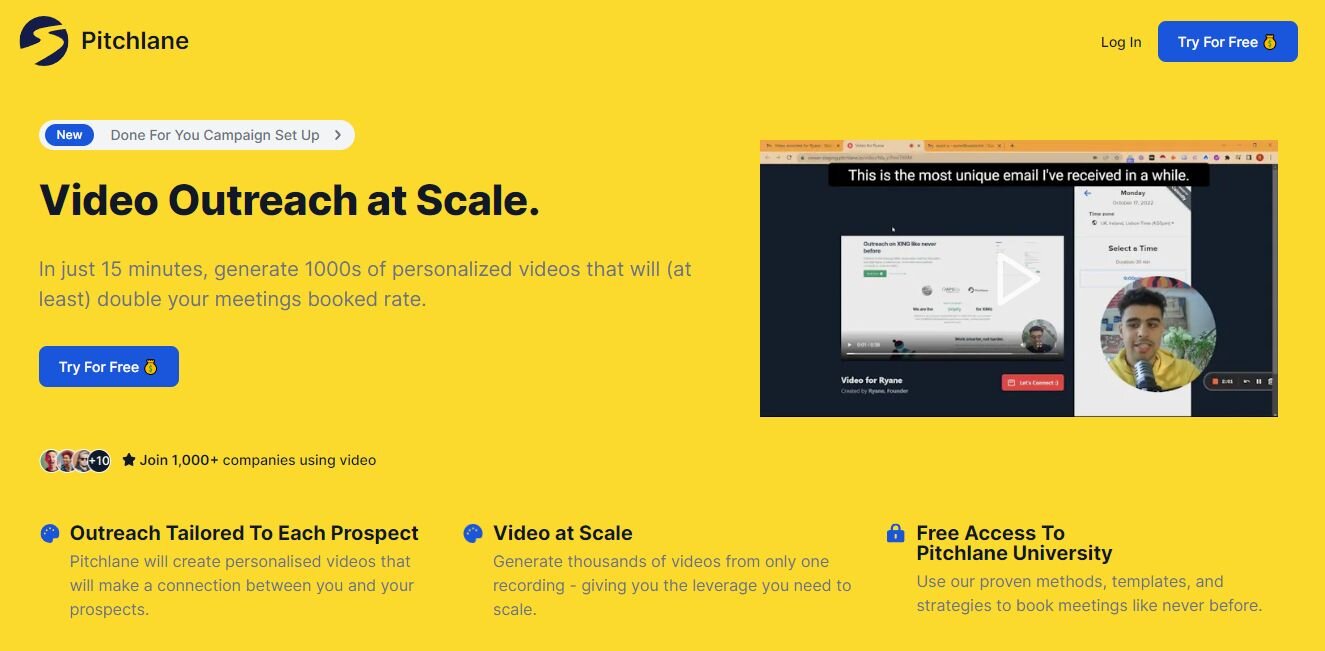
As a B2B sales tool, Pitchlane shines in automating the creation of personalized videos, allowing users to produce hundreds or even thousands of customized videos in a matter of minutes. For businesses in competitive markets, this can give sales teams an extra edge to stand out.
Key Features
Personalized Video Messaging: Empowers sales teams to create and send customized video pitches to B2B prospects, enhancing the personal touch in communications.
CRM Integration: Seamlessly integrates with popular CRM platforms to sync contact information and interaction history.
Engagement Analytics: Provides insights into how each video pitch performs, tracking metrics like views, engagement time, and viewer actions.
Spintax Generator: Pitchlane comes with a Spintax generator that allows you to rotate between different phrases in your email text to make them more unique for each of your recipients.
Outreach at Scale: Pitchlane boasts an impressive capability to generate thousands of personalized videos in just 15 minutes. This way, you can save time while increasing your B2B outreach volume.
Email Automation: Automates the process of sending video pitches at optimal times based on lead behavior and preferences.
Mobile Access: Enables the creation and sharing of video pitches directly from mobile devices, facilitating sales activities on the go.
Pitchlane University: Get access to a library of helpful guides and tutorials on how to utilize Pitchlane to streamline your sales campaigns.
Pros
- Pitchlane is a user-friendly and easy-to-use platform
- Supports multiple integration options for sales outreach
- Boost engagement rates through personalized video pitches
- Supports mass sending of personalized sales video pitches
- Offers easy integration with major CRM systems
- Provides detailed analytics to help refine and optimize outreach strategies
- A free trial is available
Cons
- May require creative skills to produce high-quality video content
- You’ll need to sign up to get our custom pricing plans
Pricing
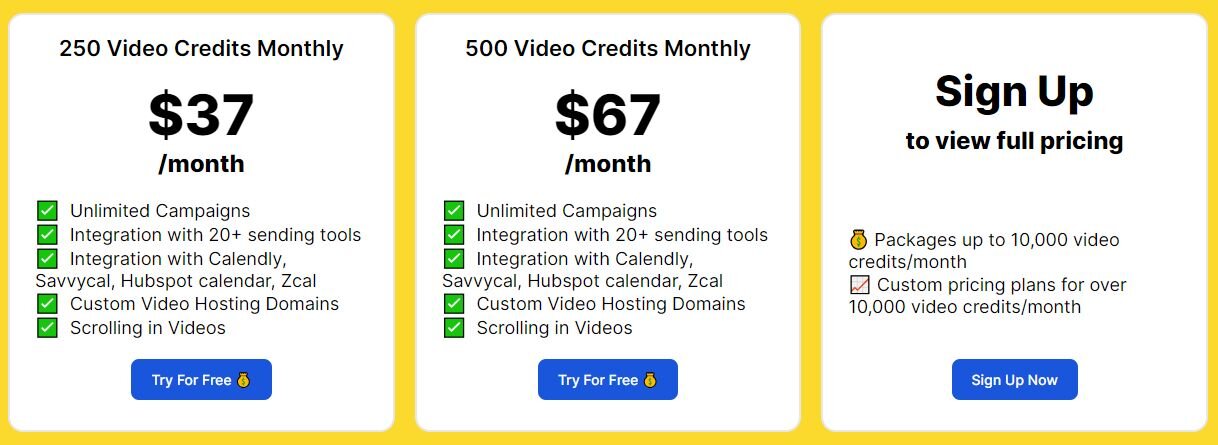
The Pitchlane pricing plan starts at $37/month. Offers a free trial period.
2. Salesforce
Salesforce is a leader in cloud-based CRM software that helps businesses of all sizes from various industries track customer interactions and optimize their sales processes.
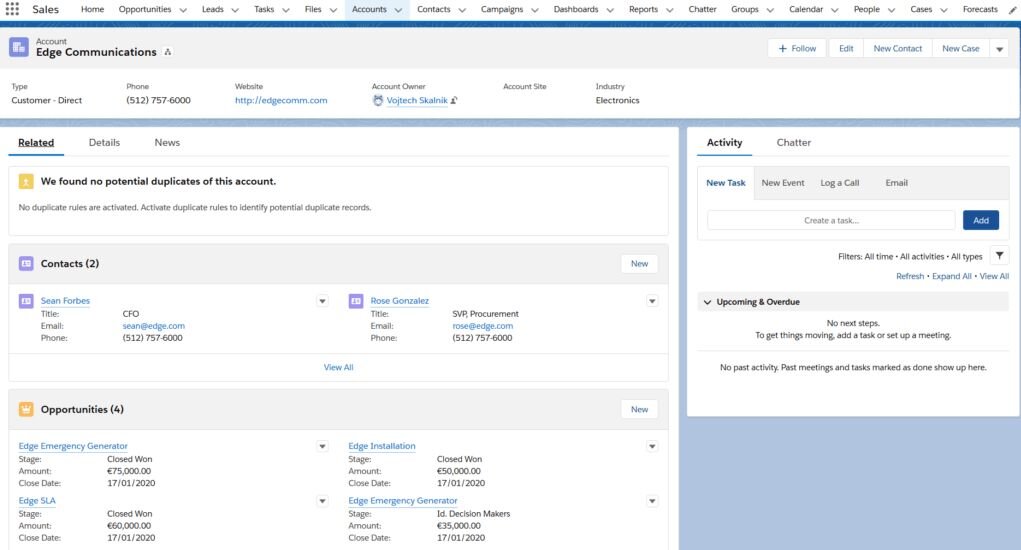
You can customize Salesforce to an incredible extent. Additionally, among their best features include sales automation, customer support, and marketing automation.
Key Features
CRM Capabilities: Offers comprehensive tools for customer relationship management, including contact and opportunity management.
Sales Forecasting: Uses historical data to predict future sales trends and pipeline values.
Lead Management: Helps in capturing, tracking, and nurturing leads throughout the sales funnel.
Customizable Reports and Dashboards: Provides customizable reporting tools that help visualize sales metrics and KPIs.
Mobile Access: Allows sales teams to access CRM data from mobile devices, enabling sales activities anywhere.
Pros
- Comprehensive CRM functionalities improve customer relationship management
- Extensive customization options to suit specific business needs
- Strong integration capabilities with third-party applications
- Advanced analytics and reporting help in making data-driven decisions
- Reliable mobile platform for managing sales on the go
Cons
- Can be expensive, especially for small businesses
- Complex features might require professional training
- Setup and customization may be time-consuming
Pricing
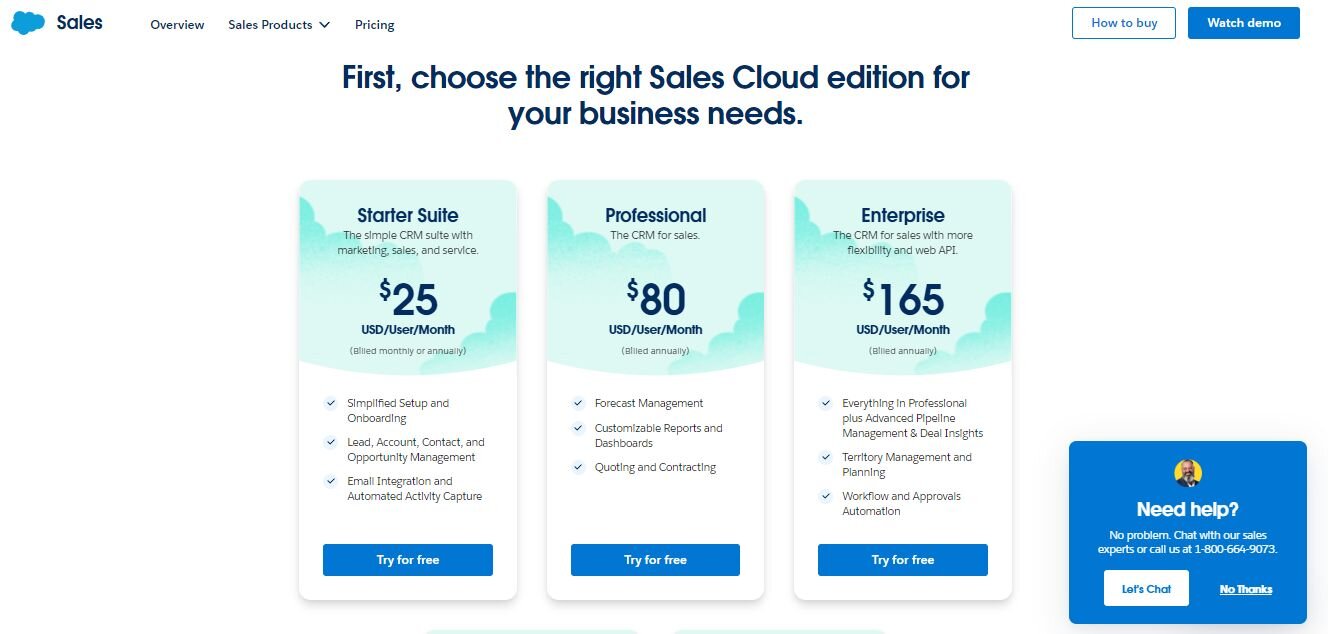
Starts from $25/user/month for the Starter Suite, with more expensive plans offering additional features.
3. HubSpot Sales Hub
HubSpot Sales Hub is a powerful automation platform that easily integrates with inbound marketing tools to streamline the sales process and increase overall efficiency.
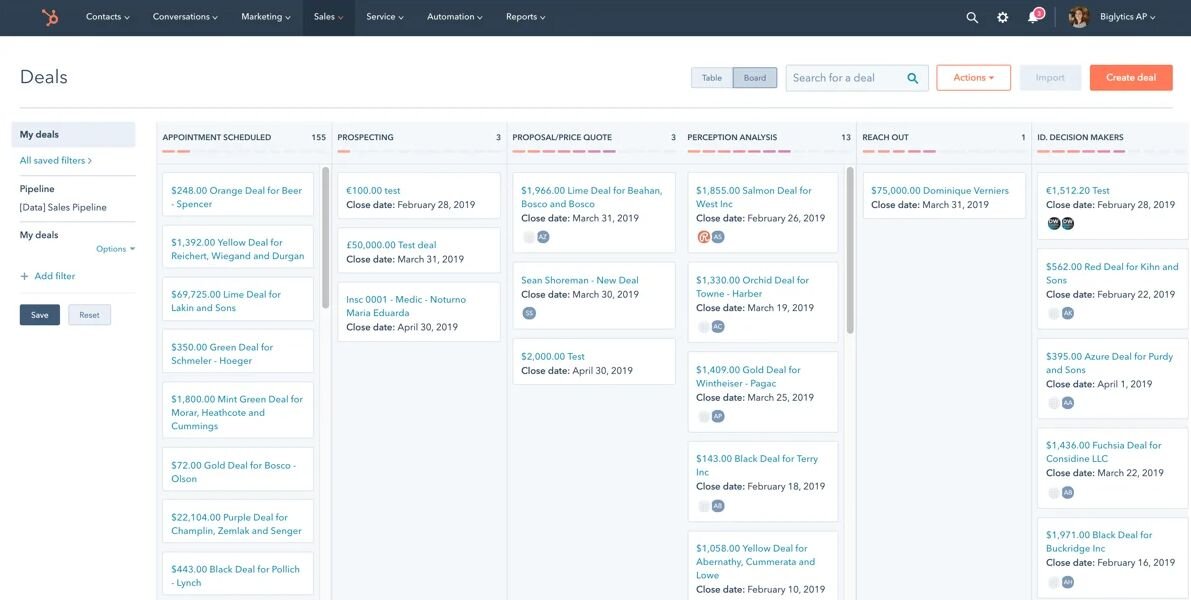
Users can take advantage of this tool to track and report on the journey of prospective customers. It provides advanced email sequencing and personalization options, enabling sales teams to engage prospects at scale with tailored messages.
Key Features
Email Tracking and Notifications: Notifies sales reps when a prospect opens an email, clicks a link, or downloads an attachment.
Sales Automation: Automates repetitive tasks such as email follow-ups and task assignments based on predefined workflows.
Pipeline Management: Visualizes the entire sales pipeline with drag-and-drop functionality to manage deals and stages easily.
Meeting Scheduling: Integrates with calendars to help schedule meetings without back-and-forth emails.
Prospecting Tools: Includes tools to help identify and connect with potential leads through various channels.
Pros
- User-friendly interface that is easy to navigate
- Integrates seamlessly with other HubSpot products
- Effective tracking features enhance lead nurturing
- Automation tools save time and reduce manual tasks
- Offers a free version for small teams
Cons
- Using the tool can become costly as additional features are added
- Limited customization options compared to other CRMs
- Some users report slow customer support response times
Pricing
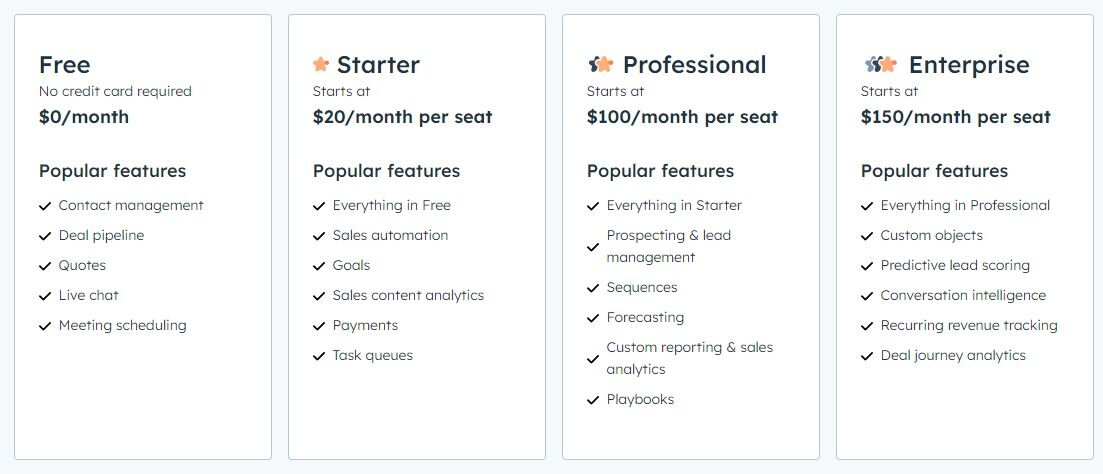
A free version is available with limited features; paid plans start at $20/month per user.
4. LinkedIn Sales Navigator
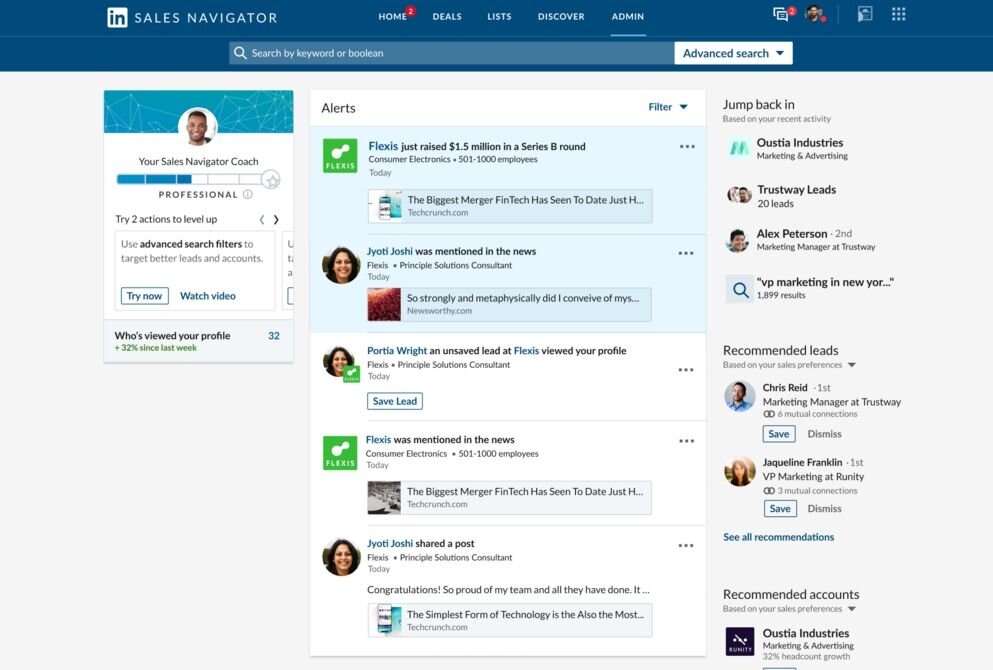
LinkedIn Sales Navigator is a powerful sales tool designed to help sales professionals find, understand, and engage with prospects on LinkedIn. It’s the perfect way for businesses to leverage their network on LinkedIn to reach the most qualified leads.
Key Features
Advanced Lead and Company Search: Provides detailed filters to find the right people and companies in LinkedIn’s vast network.
Lead Recommendations: Suggests potential leads based on your sales preferences and past interactions.
InMail Messages: Allows users to send messages directly to anyone on LinkedIn, even if they are not connected.
CRM Integration: Syncs and logs sales activities directly to your CRM.
Real-Time Sales Updates: Alerts sales reps about job changes and company updates among leads and prospects.
Pros
- Direct access to LinkedIn’s extensive professional network
- Targeted search capabilities make lead generation more precise
- The inMail feature allows for direct communication with prospects
- Good CRM integrations streamline contact management
- Regular updates provide new and improved features
Cons
- High cost for premium features
- Limited functionality outside of the LinkedIn platform
- Reliant on the quality of LinkedIn profiles for data accuracy
Pricing
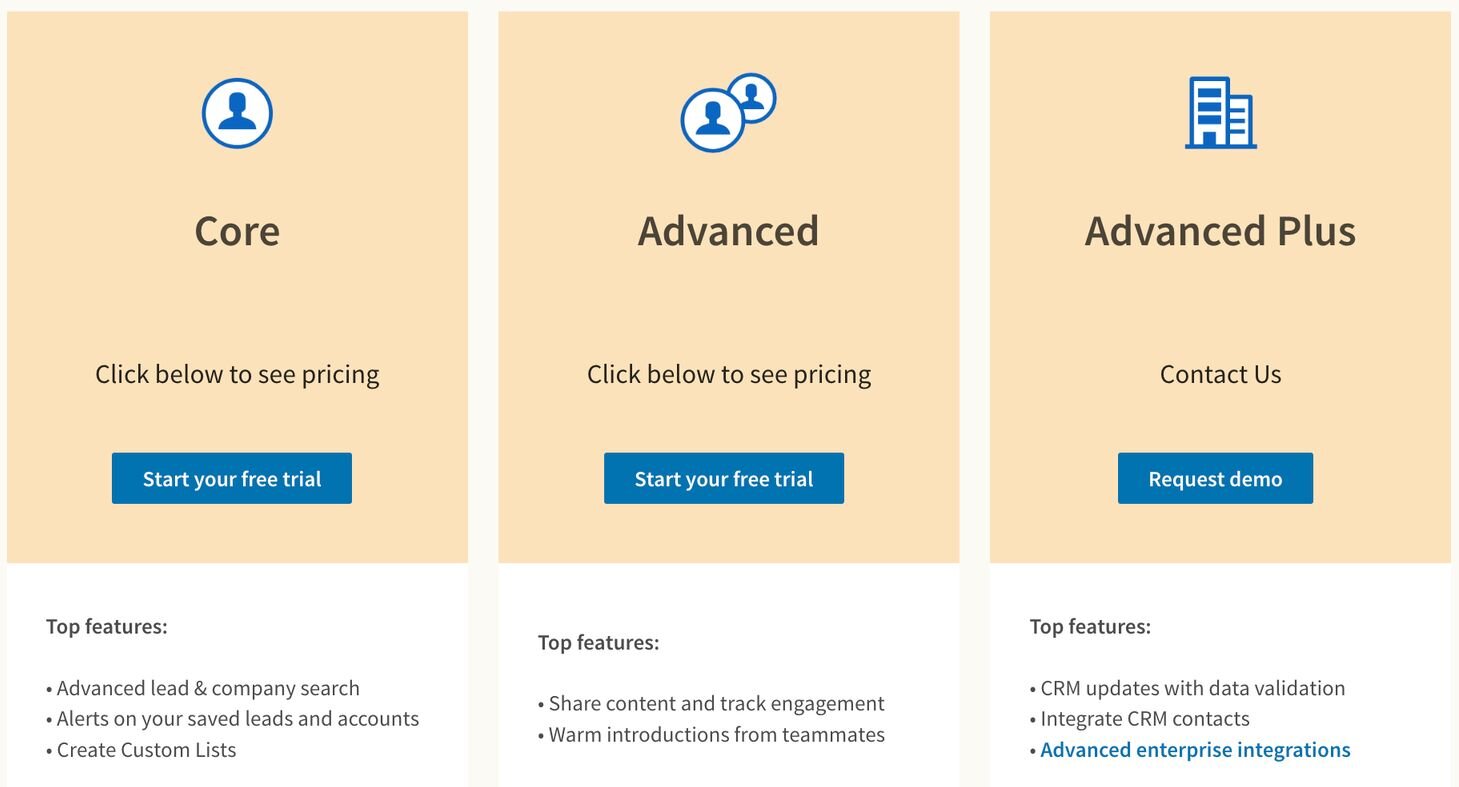
There is no public information regarding the cost of the LinkedIn Sales Navigator tool. You have to contact their sales team for pricing. They do however offer a free trial and demo.
5. Zoho CRM
Zoho CRM provides an extensive suite of online productivity tools and SaaS applications designed to attract, retain, and satisfy customers, helping grow your business.
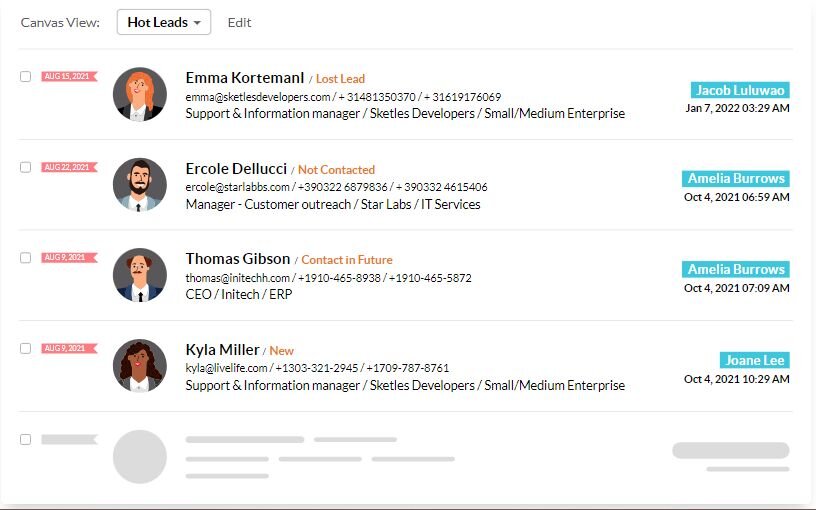
Some of this Zoho CRM’s best features include advanced lead and contact management, sales automation, workflow automation, and advanced analytics, among many others
Key Features
Sales Automation: Streamlines every aspect of the sales process from lead generation to closing, including workflow automation.
Multichannel Communication: Manages interactions across email, telephone, social media, and live chat within a single platform.
Performance Analytics: Provides insightful analytics on sales trends, agent performance, and campaign effectiveness.
Customizable CRM Workflows: Offers the flexibility to create custom fields, modules, and rules to match your sales process.
Artificial Intelligence Assistant: Uses AI to predict the likelihood of deal closures and suggests the best times to contact leads.
Pros
- Affordable pricing makes it accessible for small to medium-sized businesses
- Offers a wide range of integration options
- Multichannel support improves customer engagement
- Robust analytics tools for tracking performance
- User-friendly interface with extensive customization
Cons
- Some features might require additional plugins or integrations
- Customer support may vary in responsiveness
- Advanced features need a learning curve to be utilized effectively
Pricing
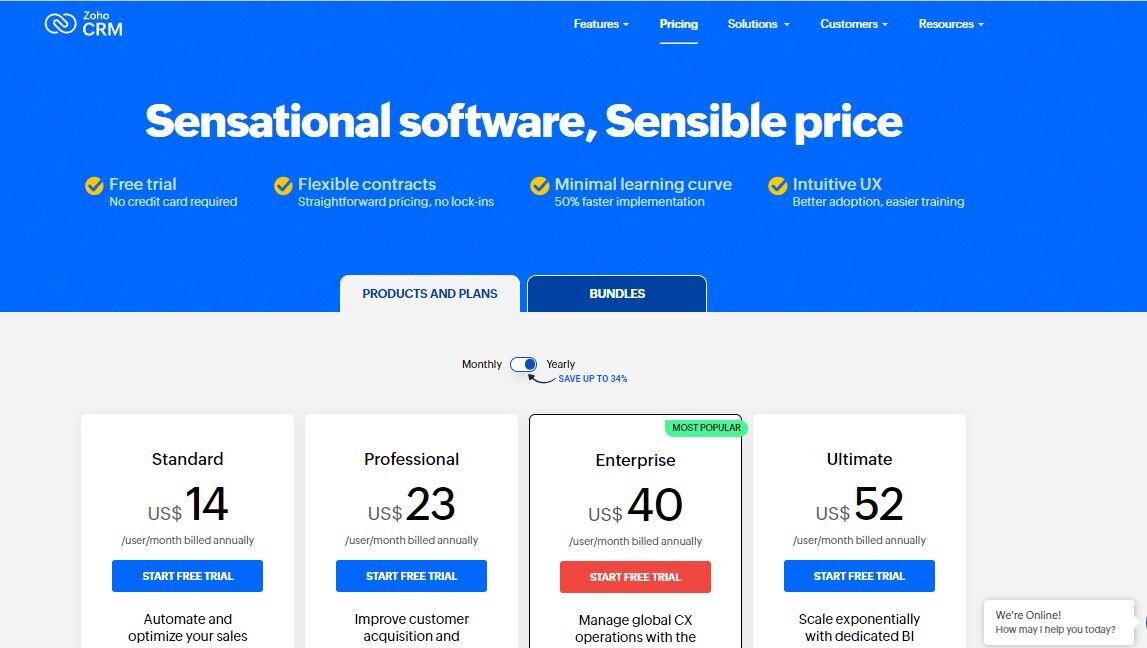
Free version available; paid plans for Zoho CRM to start at $14/user/month billed annually.
6. Pipedrive
Pipedrive is a sales management tool designed by salespeople to help manage leads, track communication, and increase sales. Given that the platform was designed by people who intend to use it, the user experience is top-notch.
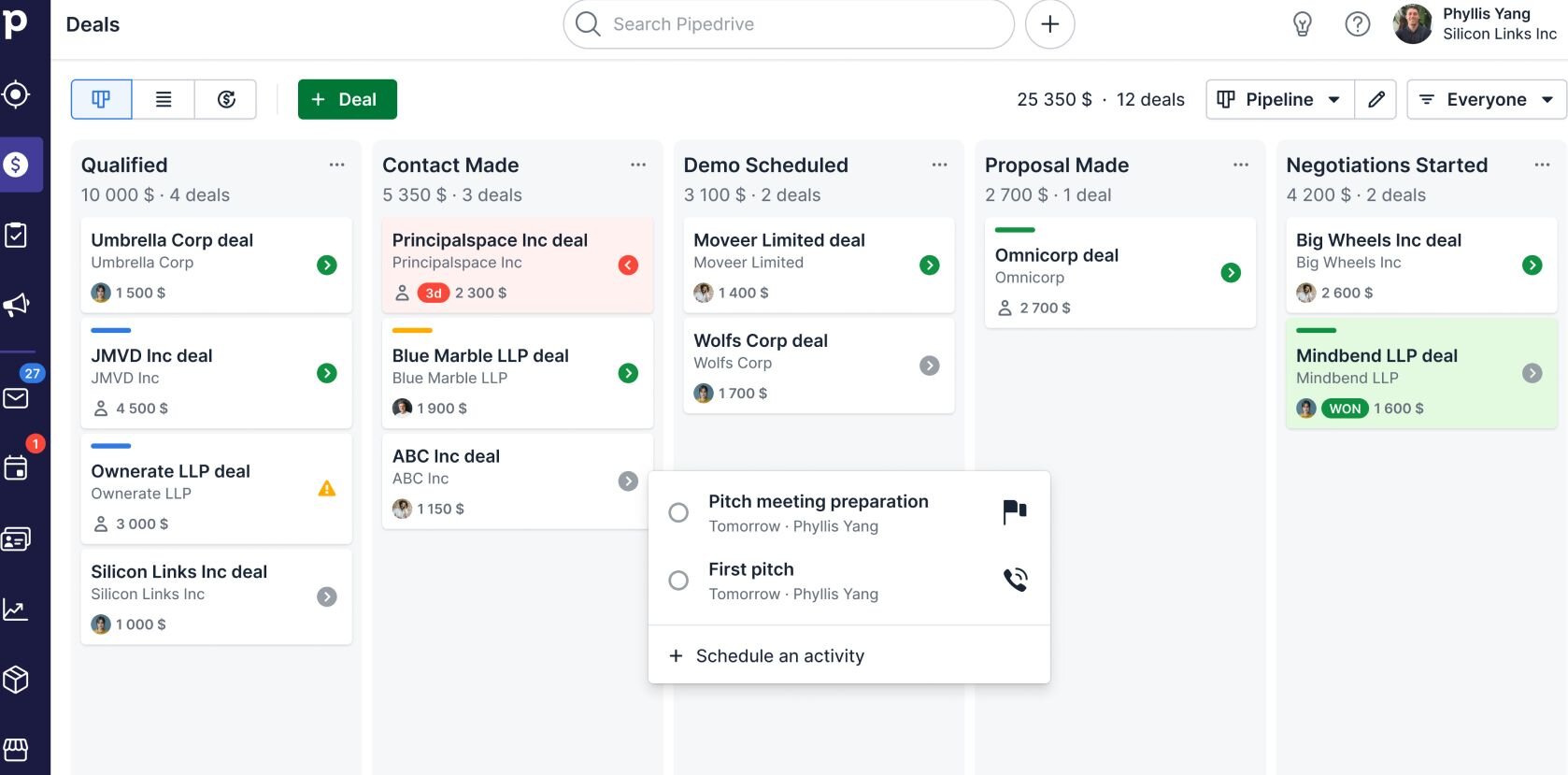
This tool offers robust automation, reporting, and integration capabilities and features an intuitive interface that allows users to track their sales pipeline visually, from leads to deals.
Key Features
Visual Sales Pipeline: Provides a clear visual interface of the entire sales pipeline for easy tracking of progress and stages.
Email Integration: Automatically links emails and follow-ups with deals and contacts in the CRM.
Activity Reminders: Sets reminders for tasks and activities to ensure no deal or follow-up is missed.
Mobile Apps: Offers robust mobile applications that allow sales teams to manage deals and activities on the go.
Customizable Features: Tailors features such as fields, stages, and activities to fit specific sales processes.
Pros
- Highly intuitive visual interface
- Customization options allow for a tailored experience
- Automation features save time on repetitive tasks
- Strong mobile apps enhance on-the-go access
- Effective for managing complex sales processes
Cons
- Reporting features may be too basic for some users
- Limited functionality for price compared to some competitors
- Integrations with other tools can be complex
Pricing
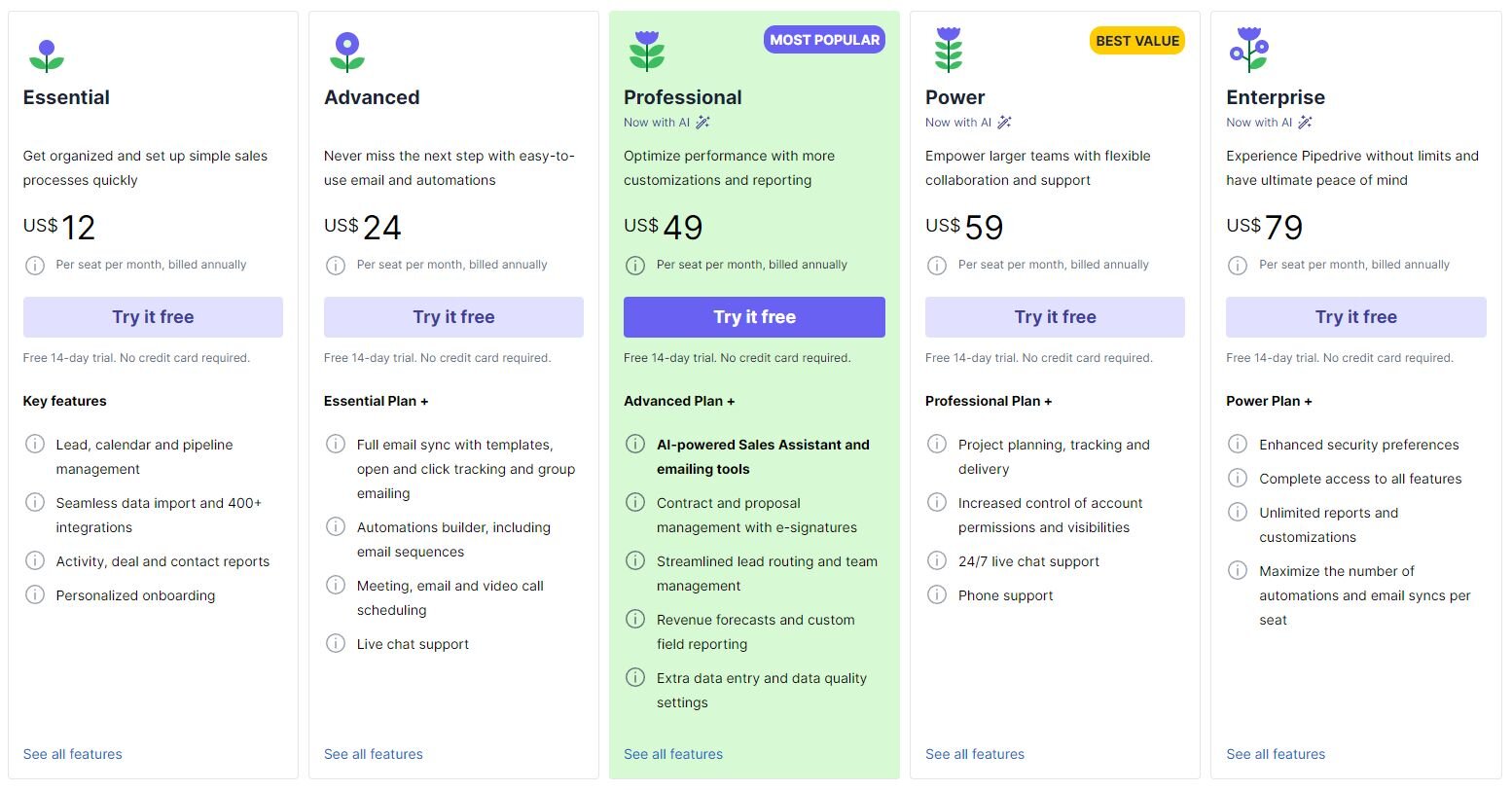
Starts at $12 per month. Pipedrive also offers a free trial for their tool.
7. Freshsales
Freshsales is an intuitive CRM platform designed specifically for lead scoring, email tracking, and automating tasks that help your sales team attract and retain customers.
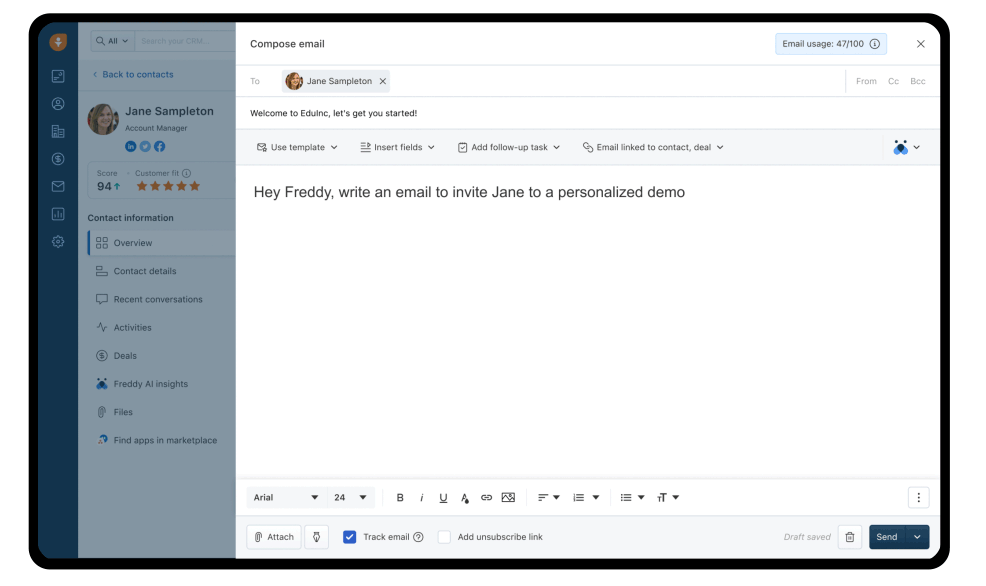
One of Freshsales’ unique offerings is its AI-based insights and predictive contact scoring that significantly help sales teams prioritize and engage with the most promising leads.
Key Features
360-degree Customer View: Aggregates information from multiple sources to provide a comprehensive view of each customer.
Lead Scoring: Prioritizes leads based on their engagement and potential to convert, using both predefined and custom scoring rules.
Built-in Phone and Email: Facilitates direct communication with leads and customers from within the platform.
Sales Automation: Automates complex sales processes to save time and reduce manual effort.
Visual Sales Pipelines: Visual representation of sales stages to track the progress of deals across the sales funnel.
Pros
- User-friendly interface is easy to use and manage
- Built-in phone and email save the cost of additional software
- Powerful automation capabilities streamline the sales process
- Offers a free version for small teams
- Customizable lead scoring helps prioritize prospects effectively
Cons
- The free version is quite limited in features
- Customization options are extensive but can be overwhelming
- Reporting tools could be more advanced
Pricing
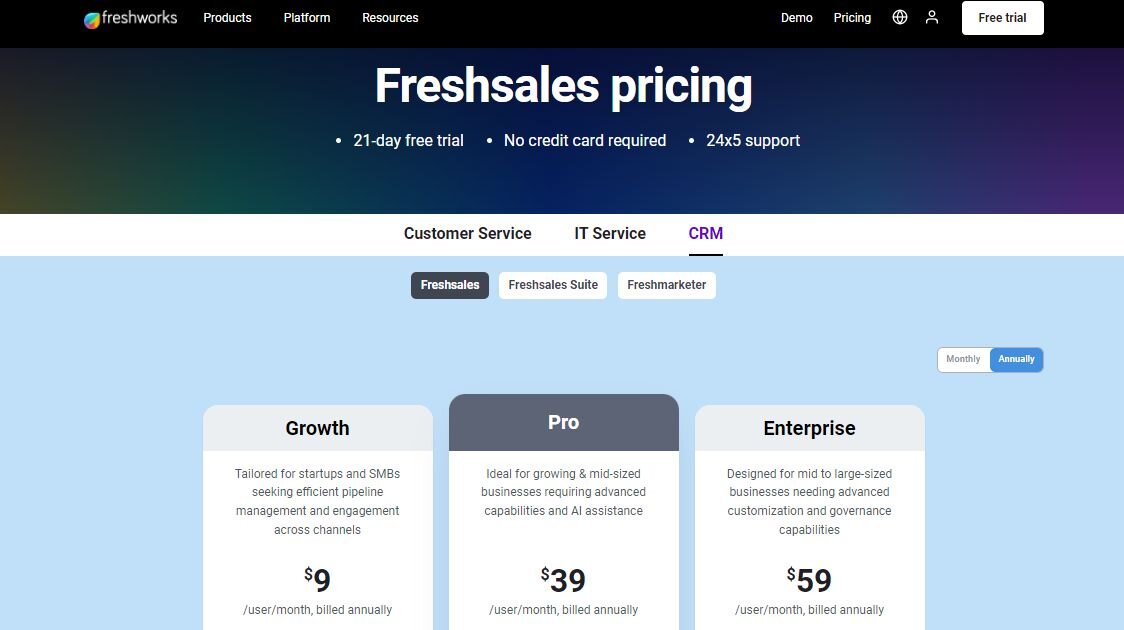
Free version available; paid plans start at $9 per month billed annually.
8. Outreach
Outreach is a sales engagement platform that optimize customer interactions and drives smarter, more insightful engagement strategies, helping sales teams drive more conversions.
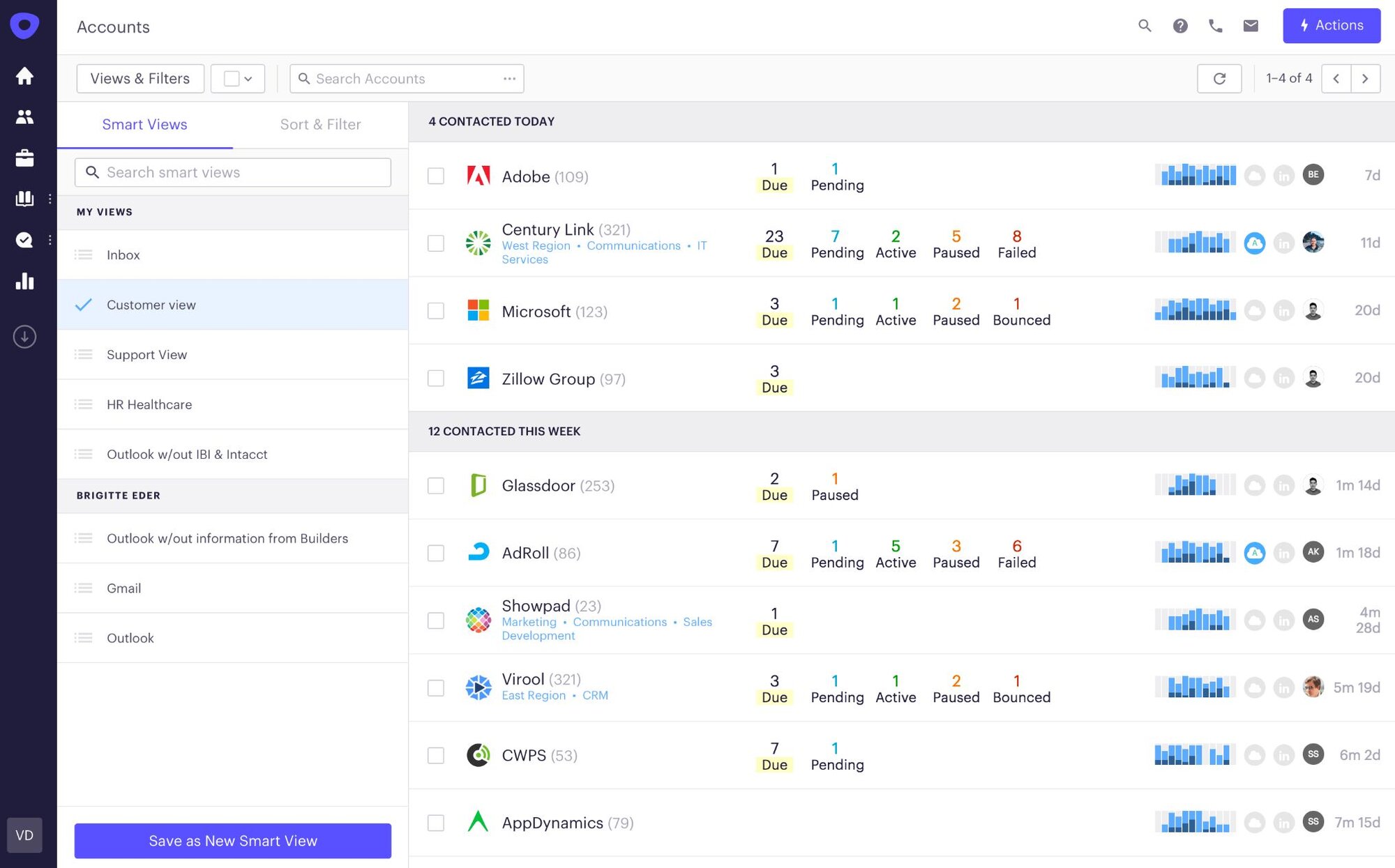
It provides features like automated email sequences, call scheduling, and task management to help sales teams increase productivity and optimize their outreach processes.
Key Features
Sequence-based Selling: Automates the sales process by sending timed email sequences, calls, and social selling actions.
Email and Call Automation: Manages and automates outbound calling and emailing, including tracking and recording capabilities.
Sales Intelligence: Provides actionable insights on sales performance and prospect engagement.
CRM Integration: Ensures your CRM system logs and updates all sales activities.
Performance Analytics: Tracks and analyzes sales activity data to refine strategies and improve outcomes.
Pros
- Enhances productivity through sequence automation
- Strong integration capabilities with various CRMs and tools
- Comprehensive tracking of all sales activities
- Advanced analytics for measuring effectiveness
- Robust support and community resources
Cons
- The high price point may be prohibitive for smaller businesses
- The steep learning curve may discourage new users
- Primarily focused on larger sales teams
Pricing
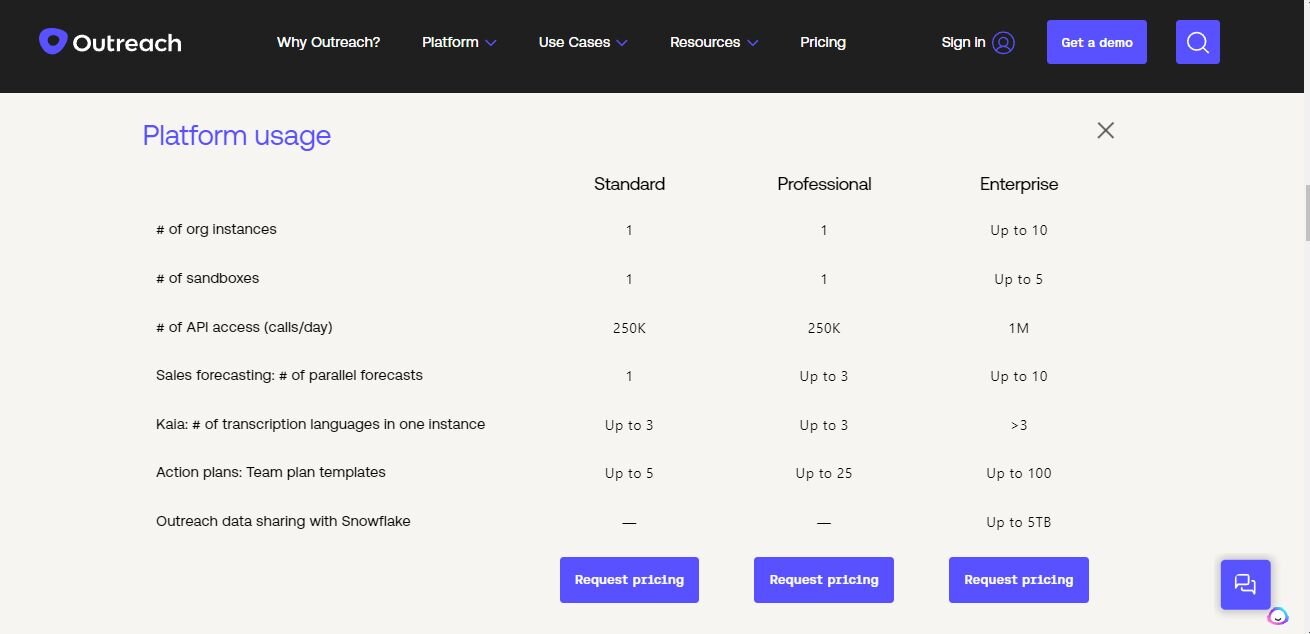
Custom pricing based on the features and scale required.
9. Yesware
Yesware is an all-in-one toolkit for sales professionals that integrates directly into your email, allowing you to track email campaigns, create email templates, and sync data to your CRM.
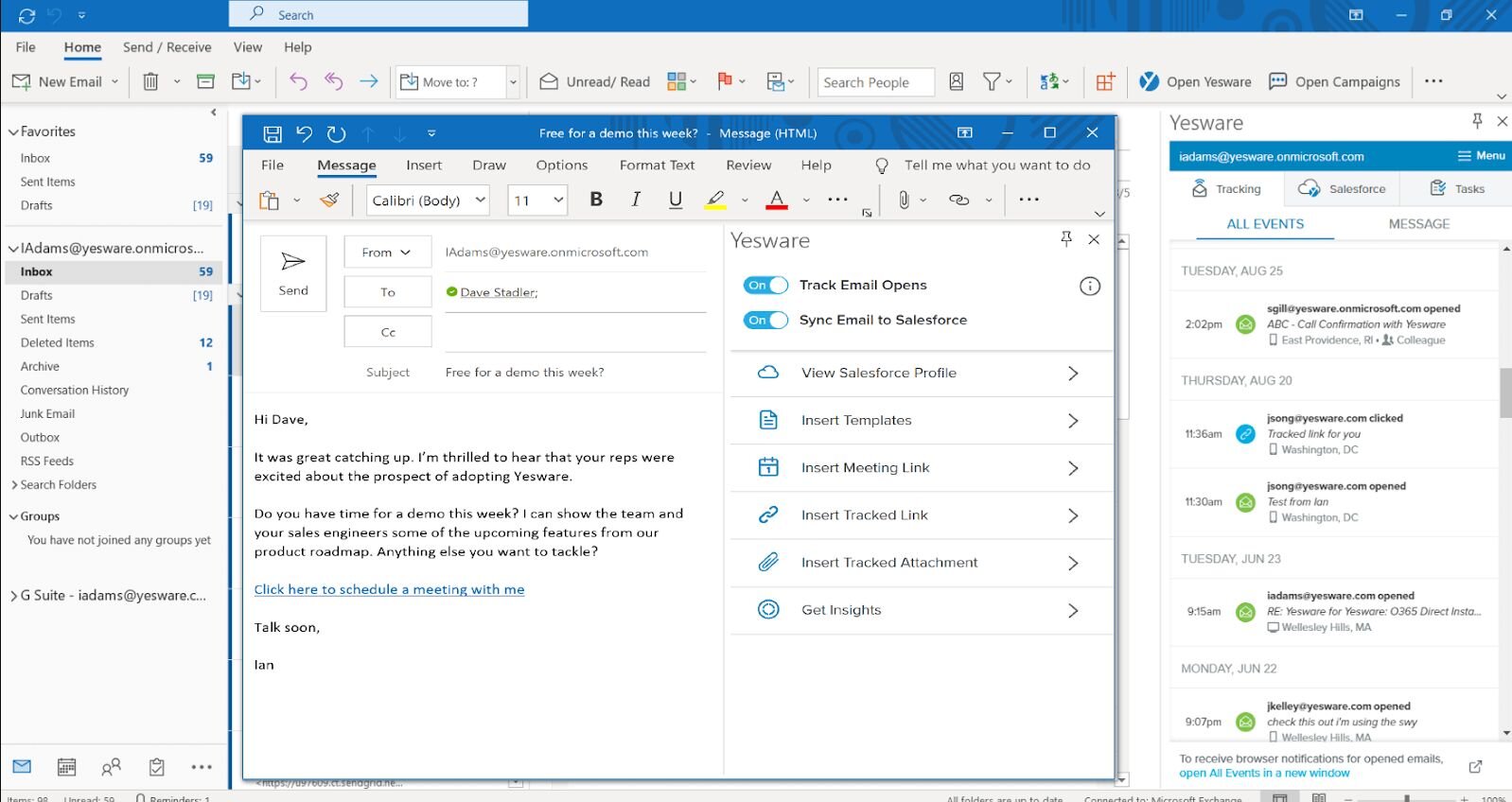
This all-in-one platform can help your sales team with analytics to better understand engagement metrics and optimize their communication strategies accordingly.
Key Features
Email Tracking: Monitors when emails are opened, links are clicked, and attachments are viewed to gauge prospect interest.
Email Templates: Saves and shares best-performing email templates across the team to maintain consistency and efficiency.
Meeting Scheduler: Integrates with calendars to help book meetings directly from the email or sales platform.
CRM Integration: Syncs communications and data directly with the CRM to maintain a complete record of interactions.
Analytics Dashboard: Provides insights into email performance, helping to optimize campaigns and interactions.
Pros
- Integrates seamlessly with Gmail and Outlook
- Simple to use with minimal training required
- Effective email tracking features help optimize outreach strategies
- Template sharing boosts team collaboration
- Affordable pricing for small to medium-sized businesses
Cons
- Limited functionality beyond email-related features
- Some users report sync issues with CRM systems
- Features are primarily useful for email-heavy sales processes
Pricing
Starts at $15/user/month with a free trial available.

10. Leadfeeder
Leadfeeder is a sales intelligence tool that helps businesses identify website visitors and turn them into leads.
You can use the tool to track visitor behavior on your website and receive helpful insights such as which pages visitors viewed, how they found your site, and their contact information.
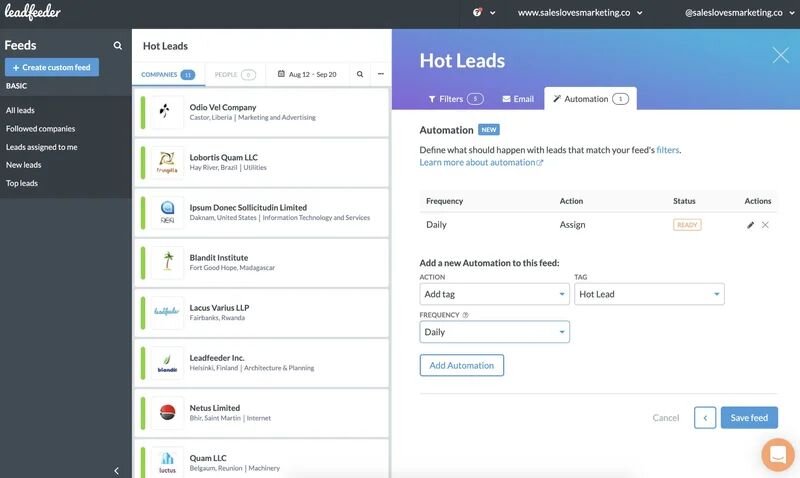
Armed with this information, your sales team can easily reach out to potential leads with tailored and personalized messages that can increase engagement and boost conversions.
Key Features
Website Visitor Identification: Identifies companies and visitors browsing your website using tracking pixels.
Lead Scoring and Filtering: Scores and filters lead based on their activity on your website to prioritize follow-ups.
CRM Integration: Connects with your CRM to enrich existing contacts and automatically create new records for new leads.
Automatic Lead Updates: Keeps lead information up-to-date by automatically updating contact details and company information.
Customizable Alerts: Sends notifications when a targeted company visits your site or engages in significant activities.
Pros
- Helps identify anonymous website visitors as potential leads
- Integration with CRMs automates data entry and follow-up with leads
- Lead scoring prioritizes follow-up based on visitor behavior
- Alerts can be customized to notify sales teams of important visitor actions
- Supports a wide range of CRMs and email marketing tools
Cons
- Dependent on sufficient website traffic to generate meaningful data
- Some features require a higher-tier plan for access
- Pricing can escalate quickly with additional features and more users
Pricing
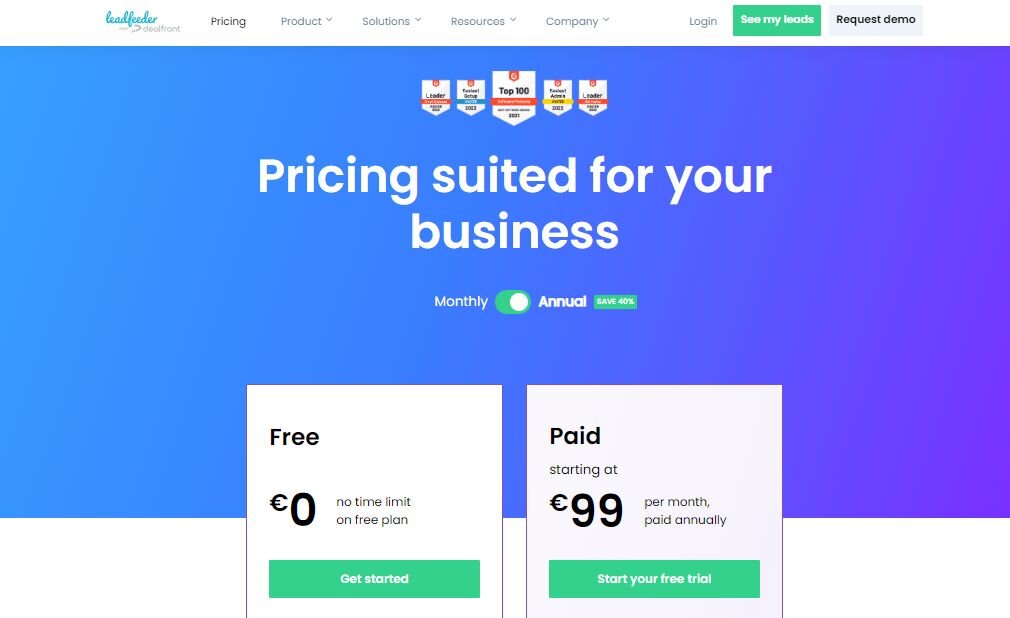
Starts at $99 per month with a free trial available.
Wrapping Up
Choosing the right B2B sales tool can greatly improve your team’s sales outcomes. However, success with sales tools depends on carefully considering what you need from your sales funnel. The sales tool must integrate with your existing systems and be easy for your team to use.
Pitchlane comes with built-in features to streamline much of your sales management process while offering personalization at scale. Plus, we have a free trial so you can start leveraging its powerful features today without spending a single cent.